X
wikiHow is a “wiki,” similar to Wikipedia, which means that many of our articles are co-written by multiple authors. To create this article, 15 people, some anonymous, worked to edit and improve it over time.
This article has been viewed 38,401 times.
Learn more...
HandBrake is a free tool which comes with plenty of features for beginners and intermediate users alike. The open source software can decrypt and convert a DVD into formats that can be consumed on your Mac, PC, iPod, PSP, Apple TV, Television, iPhone, or mobile phone. Now you can follow the guide to rip your DVD movie to MKV video.
Steps
-
1Download and install Handbrake. To get started you'll have to install the software. At the time of writing the software was up to version 0.9 and available free at the HandBrake Web site. Once installed open the HandBrake application. The application should default to a simple interface like the screenshot below.
-
2Advertisement
-
3Insert DVD movie. Once you've selected the DVD you want to copy or back up insert it into your Mac. Now click on the icon that says "Source" and click your DVD drive.
-
4Click Open and you will be able to see many titles included in this DVD disk. Choose the longest title if this is a movie DVD, or choose your favorite chapter if this is an episode.
-
5
-
6Set the output format. Select MKV files as output format and select other settings such as video quality, audio track, Audio Sample Rate, bitrate, Picture Settings, etc.
-
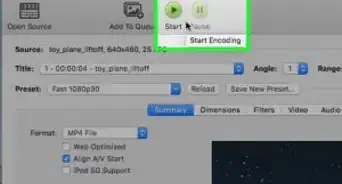
7Rip DVD to MKV on Mac. Check all settings and click Rip. A progress bar will show its ripping speed; depends on many factors like speed of Mac, file size, etc. Then you can give the MKV files.Advertisement








About This Article
Advertisement