This article was written by Nicole Levine, MFA. Nicole Levine is a Technology Writer and Editor for wikiHow. She has more than 20 years of experience creating technical documentation and leading support teams at major web hosting and software companies. Nicole also holds an MFA in Creative Writing from Portland State University and teaches composition, fiction-writing, and zine-making at various institutions.
This article has been viewed 2,642 times.
Facebook doesn't allow convicted sex offenders to use their website or mobile apps. If you come across the profile of a convicted sex offender, report it to Facebook immediately. This wikiHow teaches you how to report a convicted sex offender to Facebook.
Steps
-
1Find online proof of the conviction. You can only report a sex offender to Facebook's support team if you include proof. If you are unable to find one of the following types of proof, ask your local law enforcement to contact Facebook on your behalf:[1]
- A link to the offender's listing on the national or state-based sex offender registry. Visit http://www.nsopw.gov to search the United States national registry.
- If you don't see the state in the drop-down menu, search the web for "sex offender registry" and the state to find the state's registry.
- A link to a news article about the conviction.
- A link to a court document that proves the user was convicted.
- A link to the offender's listing on the national or state-based sex offender registry. Visit http://www.nsopw.gov to search the United States national registry.
-
2Go to https://www.facebook.com/help/contact/207005222725325 in a browser. You can access the "Report a Convicted Sex Offender" form on any computer, phone, or tablet.
-
3Enter your email address. This is required for Facebook's records and will not be shared with the offender.
-
4Enter the name of the person you're reporting. The name you enter into the "Full name of the person you're reporting" field must match the proof you provide.
-
5Enter the URL of the offender's Facebook profile. This goes into the "Web address (URL) of the profile you're reporting" blank. Here's how to do this on a computer or phone/tablet:
- Computer: Load the offender's profile, and then highlight the URL in the bar at the top of the page. Then, right-click the highlighted area and select Copy. On the "Report a Convicted Sex Offender" page, right-click the blank and select Paste.
- Mobile app: On the offender's Facebook profile, tap More near the top-right and select Copy Link to Profile. Return to the "Report a Convicted Sex Offender" page, tap and hold the blank, and then select Paste.
-
6Enter the state, province, or country in which the person was convicted. This information should also match any proof of conviction you provide.
-
7Select Yes to indicate that you have documentation. It's at the bottom of the form. Additional options will appear below.
-
8Select a documentation type. Choose the option that describes the proof of conviction you've found online.
-
9Type or paste the web address that proves the person is a sex offender. This goes into the "Web address" field.
- You can also provide any relevant information you wish to include in the blank below the "Web address" field.
-
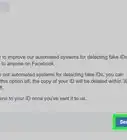
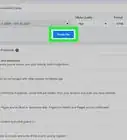
10Click Send to submit your report. It's the blue button at the bottom of the form. As soon as Facebook's support team is able to confirm that the profile belongs to a convicted sex offender, they will disable the user's profile.









About This Article

1. Go to https://www.facebook.com/help/contact/207005222725325.
2. Enter your email address.
3. Enter the offender's name and Facebook profile URL.
4. Enter the location of conviction.
5. Select a documentation type.
6. Paste the URL to a document that proves conviction.
7. Click Send.