This article was written by Nicole Levine, MFA. Nicole Levine is a Technology Writer and Editor for wikiHow. She has more than 20 years of experience creating technical documentation and leading support teams at major web hosting and software companies. Nicole also holds an MFA in Creative Writing from Portland State University and teaches composition, fiction-writing, and zine-making at various institutions.
The wikiHow Tech Team also followed the article's instructions and verified that they work.
This article has been viewed 17,448 times.
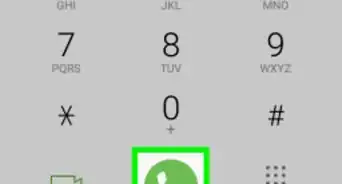
This wikiHow teaches you how to delete a Google account from a Samsung Galaxy phone or tablet.
Steps
-
1
-
2Scroll down and tap Cloud and accounts. This may be called Accounts on some phones and tablets.
-
3Tap Accounts. A list of accounts on your phone or tablet will appear.
-
4Tap Google. Now only Google accounts will appear.
-
5Tap the account you want to delete. If you only have one Google account, skip to the next step.
-
6Tap ⁝. It’s at the top-right corner of the screen. A small menu will expand.
- If you don’t see this symbol, tap More at the top-right corner of the screen.
-
7Tap Remove account. A confirmation message will appear.
-
8Tap Remove account to confirm. The selected account will be removed from your Samsung Galaxy phone or tablet.


Community Q&A
-
QuestionI have given my tablet to my granddaughter and now she gets my phone photos. How can I stop this?
 Gustavo PichardoCommunity AnswerIf your email is allowed to sync to Google Photos, then if you have your SYNC option on, it will be saved on Google Photos. To stop this, either turn of the sync on your or her device, or remove your account from her device.
 -
QuestionHow can I delete one of my Google accounts without deleting everything associated with it? Can I copy everything somehow to my other account so I don't lose my photos and contacts?
 Vrinda ChughCommunity AnswerYou cannot do that. Either you would first have to copy all the data and send it to the account you want it to be and then delete your account.


About This Article

1. Open your Settings.
2. Tap Cloud and accounts.
3. Tap Accounts.
4. Tap Google.
5. Select an account.
6. Tap ⁝ or More.
7. Tap Remove account.
8. Tap Remove account.