X
This article was co-authored by wikiHow Staff. Our trained team of editors and researchers validate articles for accuracy and comprehensiveness. wikiHow's Content Management Team carefully monitors the work from our editorial staff to ensure that each article is backed by trusted research and meets our high quality standards.
This article has been viewed 11,714 times.
Learn more...
This wikiHow teaches you how to message a group admin and ask them to add you to a WhatsApp group, using Android. Only admins can add new members to a group chat conversation.
Steps
-
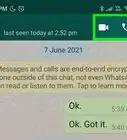
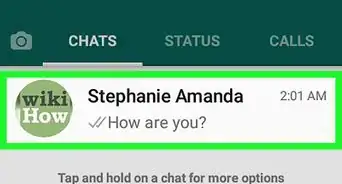
1Open WhatsApp Messenger on your Android. The WhatsApp icon looks like a white telephone in a green speech bubble on your Apps list. WhatsApp will open up to your CHATS list.
- If WhatsApp opens up to a conversation, tap the back button to go back to CHATS.
-
2Tap the New Message icon. It looks like a green-and-white speech bubble icon in the lower-right corner of your screen. This button will bring up a list of all your contacts.Advertisement
-
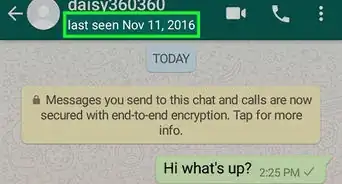
3Find and tap the group admin in your contacts. This will open a personal chat conversation with the group admin.
- If you have a large list of contacts, you can use the Search function to quickly find the group admin. To do this, tap the magnifying glass icon in the upper-right corner of your screen.
-
4Tap the message field. It reads "Type a message" at the bottom of the conversation.
-
5Type your message. In your message, kindly ask the group admin to add you to the group conversation as a participant.
- The group admin may or may not decide to add you the group at their own discretion.
-
6Tap the Send button. This button looks like a paper plane icon next to the message field. It will send your message to the chat conversation.
-
7Wait for the group admin to add you to the group. If you're added to the group chat, you will receive a notification and the conversation will appear at the top of your CHATS list.Advertisement




About This Article

wikiHow Staff
wikiHow Staff Writer
This article was co-authored by wikiHow Staff. Our trained team of editors and researchers validate articles for accuracy and comprehensiveness. wikiHow's Content Management Team carefully monitors the work from our editorial staff to ensure that each article is backed by trusted research and meets our high quality standards. This article has been viewed 11,714 times.
How helpful is this?
Co-authors: 2
Updated: May 15, 2018
Views: 11,714
Categories: WhatsApp
Article SummaryX
1. Open WhatsApp Messenger.
2. Tap the New Message icon.
3. Tap the group admin's name.
4. Ask the admin to add you to the group.
5. Wait for the admin's response.
Did this summary help you?
Advertisement