X
wikiHow is a “wiki,” similar to Wikipedia, which means that many of our articles are co-written by multiple authors. To create this article, volunteer authors worked to edit and improve it over time.
This article has been viewed 17,891 times.
Learn more...
Here you can learn about recording music from CD's to a cassette (audio) tapes using a DVD/CD player and an amplifier hooked up to a tape recorder unit.
Steps
Method 1
Method 1 of 5:Setting up the Amplifier and Gathering Supplies
Method 1
-
1Set up your Amplifier and required equipment in one place. Make sure you have access to the back of the amplifier and other equipment.
-
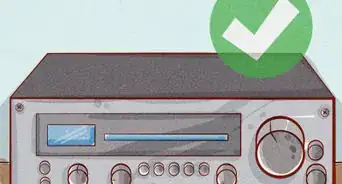
2Plug in the amplifier to the wall outlet or power strip (multiple outlets). This works best if you use an amplifier with 2-prong or 3-prong power inputs so that you won't need so many ports in your wall-outlet.
-
3Connect your CD/DVD player to your cassette deck (recorder).
- Connect "Audio Out" on the CD/DVD player INTO the "Line IN" on the cassette recorder, using RCA jacks.
- If red is present but no white, use the red in the red ports and the other color (sometimes black) in the other port. Connect the same colors on BOTH devices.


Method 2
Method 2 of 5:Connecting the Tape Recorder to the Amplifier
Method 2


Method 3
Method 3 of 5:Preparing your Tape and CD
Method 3
-
1The CD/DVD player setup:
- Turn on DVD/CD player.
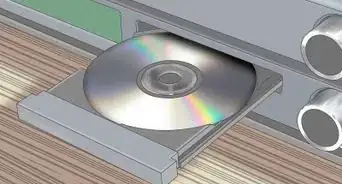
- Insert disc you want to copy from.
- Close player and press the "Stop" button on the player (or on remote if available).
-
2The Cassette Tape recorder set-up:
- Open recording deck (the side where recording can take place, usually the right side deck).
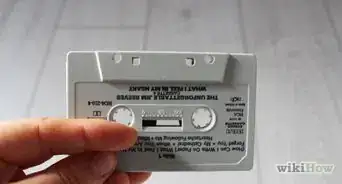
- Insert blank tape or old tape that you want to record over. (No longer than 90 minutes due to magnetic strips being too thin and wearing out easily during playback).


Method 4
Method 4 of 5:Recording the CD to the Audiotape
Method 4
-
1This can be done two ways: Turn on amplifier and set it to Tape Deck 1 or 2 (whichever you plugged the RCA jacks into). First Method:Second Method:
- Press the record and play buttons simultaneously (ie. "at the same time") on the Audiotape player and press the play button on the CD/DVD player after about 3 seconds of the Audiotape recording.
- Press play on the DVD/CD player AND at the same time press the Record/play buttons on the cassette deck.
- Note: This method may cause your tape to not catch the beginning of a song or speaking part from the CD you're copying from.

Method 5
Method 5 of 5:Finishing the recording process
Method 5
-
1When the CD is done playing, you can hit the stop button on the recorder and stop the CD from playing.
- Put disk away and write down a title on the tape you copied to.
- Insert new disk and continue recording on the tape if you have free space.
- To record again, simply press record on the deck and the play button on the DVD/CD player as described in the previous step.
- Don't forget to turn everything off and unplug your equipment when you're finished!

Community Q&A
-
QuestionHow do I handle spaces between songs?
 Community AnswerIn your media player preferences page look for the menu that says burning options. There will be a question that asks you if you want a gap between songs. Check the box that says seamless recording which should get rid of the gap.
 -
QuestionIs it possible to record on the second side of the tape?
 Community AnswerYes. Just flip the cassette once you've filled one side and record on the other.
Warnings
- *Do not unplug anything while recording, doing so may corrupt the tape and may cause static if the speakers are turned on.Thanks!