X
wikiHow is a “wiki,” similar to Wikipedia, which means that many of our articles are co-written by multiple authors. To create this article, 24 people, some anonymous, worked to edit and improve it over time.
This article has been viewed 249,412 times.
Learn more...
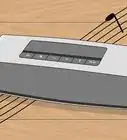
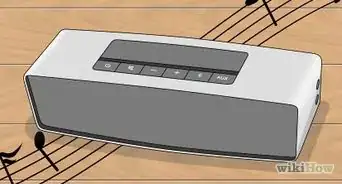
Follow these simple steps to connect your Computer to your Stereo System.
Steps
-
1Locate your audio out jack by looking at the back of the computer. The out audio jack is usually coloured green.
-
2Plug in the male stereo audio cable. Put the male prong side of the stereo audio cable into the out audio jack that is located on the back of the computer.Advertisement
-
3Take the other end of the stereo audio cable, and plug the male prong side into the stereo audio female Y cable.
-
4Plug one end of the RCA cable into the Y cable. Plug in the white male RCA with the white female RCA, and plug the red male RCA with the red female RCA.
-
5Locate the “AUX IN” red and white ports on the back of the stereo. The red port stands for right, and the white port stands for left.
-
6Plug the other end of the RCA cable with the stereo system ports. Plug in the white male RCA with the white female port, and plug the red male RCA with the red female port.
-
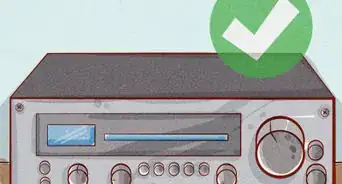
7Choose "AUX" on the stereo itself to receive the sound from the computer. On some stereos this is either done by the remote control, or manually.
-
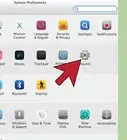
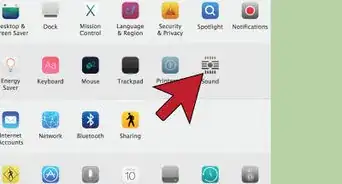
8Check for connectivity on your computer. This may vary depending on what kind of computer/OS you have.
- If you're not hearing any sound, you may just need to change the audio output.
Advertisement


Community Q&A
-
QuestionHow do I connect wired speakers to my PC?
 Community AnswerMake sure the speakers have a jack end which can fit into the audio jack port behind or in front of your computer. Stick the jack end of the stereo's wires into the audio jack of the computer.
 -
QuestionCan my computer be near the receiver, or is there a "safe" distance I should keep between them?
 Community AnswerYes, your computer can be close to the receiver. There isn't any difference if you put it farther away.
Warnings
- Make sure to start with the lowest volume on both systems or you could damage your speakers.Thanks!
- While it is not necessary on modern systems, to be safe, turn off the computer and stereo until you're done connecting the cables.Thanks!
Advertisement
Things You'll Need
- RCA Cable
- 2 x RCA / 1 x 3.5mm Stereo Female, Y-Cable
-
Male to Male 3.5mm (1/8") Stereo Audio Cable
- You can also find a cable at an electronic supply houses, like Radio Shack, that has the 3.5mm male plug on one end and the RCA Phono plugs on the other end negating the need for the Y-cable adapter.
- Alternatively, many computers these days have a digital audio output. If your computer has digital audio output it will be an optical connection, or a coaxial connection or both. Get a cable to match with the corresponding jack on your home stereo system.
- An optical connection will be a black or dark gray rectangular jack. It may have a dummy plug in it or it may have a tiny door that swings out of the way.
- A coaxial digital audio connection with be like an RCA Phono jack with, typically, an orange center.





About This Article
Advertisement