This article was co-authored by wikiHow Staff. Our trained team of editors and researchers validate articles for accuracy and comprehensiveness. wikiHow's Content Management Team carefully monitors the work from our editorial staff to ensure that each article is backed by trusted research and meets our high quality standards.
The wikiHow Tech Team also followed the article's instructions and verified that they work.
This article has been viewed 49,821 times.
Learn more...
This wikiHow teaches you how to connect Apple's latest wireless headphones to your iPhone.
Steps
Method 1
Method 1 of 2:On an iPhone Running iOS 10.2 or More Recent
-
1Unlock your iPhone. Press the Home button using Touch ID or enter your passcode on the lock screen.
-
2Press the Home button. Doing so returns you to the home screen, if you weren't already there.Advertisement
-
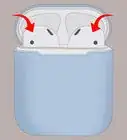
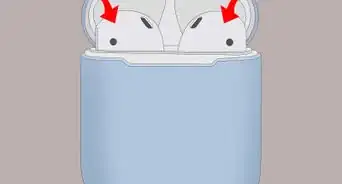
3Hold the AirPods case next to your iPhone. The AirPods must be in the case and the lid closed.
-
4Open the lid on the AirPods case. A setup assistant will launch on your iPhone.
-
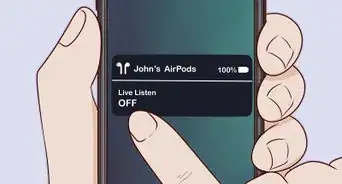
5Tap Connect. The pairing process will begin.
-
6Tap Done. Your iPhone is now paired with your AirPods.
- If you're signed into iCloud, the AirPods will automatically be paired with any other devices running iOS 10.2 or higher and signed into iCloud with the same Apple ID.
Advertisement


Method 2
Method 2 of 2:On Other iPhones
-
1Hold the AirPods case next to your iPhone. The AirPods must be in the case and the lid closed.
-
2Open the lid on the AirPods case.
-
3Press and hold the "Setup" button. It's a small, round button on the back of the AirPods case. Hold the button until the status light flashes white.
-
4Open your iPhone's Settings. It's a gray app that contains gears (⚙️) and is typically located on your home screen.
-
5Tap Bluetooth. It's near the top of the menu.
-
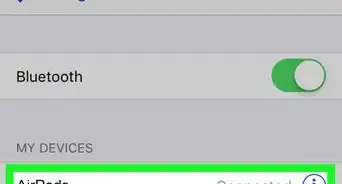
6Slide "Bluetooth" to the "On" position. It will turn green.
-
7Tap AirPods. It will appear in the "OTHER DEVICES" section.
- Once the AirPods are paired, they will appear in the "MY DEVICES" section of the menu.
Advertisement


Community Q&A
-
QuestionHow do I disconnect AirPods?
 Community AnswerYou have to turn off Bluetooth on your phone, turn off your AirPods, or you can have your iPhone "forget" them. To do this go to Settings > Bluetooth, find your AirPods in the list, tap the circular i icon, tap for get device, and tap forget in the popup.




About This Article

1. Unlock your iPhone.
2. Press the Home button.
3. Hold the AirPods case next to the iPhone.
4. Open the lid on the AirPods case.
5. Tap Connect on your iPhone.
6. Tap Done.