This article was written by Darlene Antonelli, MA. Darlene Antonelli is a Technology Writer and Editor for wikiHow. Darlene has experience teaching college courses, writing technology-related articles, and working hands-on in the technology field. She earned an MA in Writing from Rowan University in 2012 and wrote her thesis on online communities and the personalities curated in such communities.
This article has been viewed 65,531 times.
Usually, you use whatever your AirPods are connected to (like your iPhone or Apple TV) in order to change the volume; changing the volume of those devices changes the volume of your AirPods since there are no direct volume controls on the AirPods themselves. This wikiHow will show you how to use Siri and an Apple Watch to control the volume on AirPods.
Steps
Method 1
Method 1 of 2:Using Siri
-
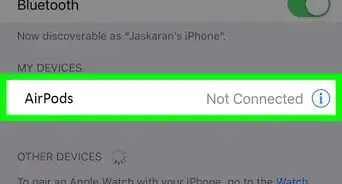
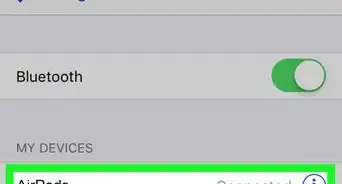
1Double-tap the AirPod set up to activate Siri. If you don't remember which AirPod you set up to use Siri, you can check in your phone under your connections.[1]
- If you don't have this double-tap feature with Siri enabled or if you're using AirPods with an Android, you will not be able to use this method. You can find the double-tap setting in your iPhone's Settings > Bluetooth > Your AirPods >info icon menu.
- After you double-tap the correct AirPod, wait for the chime before you speak to Siri.
-
2Tell Siri to change the volume. You can tell Siri to turn the volume down, up, or say a number 0-100 to set the volume level specifically.[2]Advertisement
-
3Say "Hey, Siri" (AirPods 2 and AirPods Pro only). If you have the newer AirPods, you have the hands-free ability to speak to Siri without tapping the AirPod to change the volume level.
- You can say "Hey, Siri, turn the volume up."
Advertisement


Method 2
Method 2 of 2:Using Apple Watch
-
1Tap the AirPlay icon on your Apple Watch face. You'll see these circles and triangle icon centered at the top of your screen.
- If you don't have an Apple Watch, skip this method.[3]
- You can use your Apple Watch instead of your phone to change the volume.
- The Now Playing app will open on your Apple Watch.
-
2Turn the dial on your watch to change the volume. When you twist and turn the dial, it changes the volume of your phone, which also changes the volume on your AirPods.Advertisement










References
About This Article

1. Double-tap the AirPod set up to activate Siri.
2. Tell Siri to change the volume.
3. Alternatively, say "Hey, Siri" if you're using AirPods 2 or AirPods Pro and tell Siri to turn down the volume.