X
wikiHow is a “wiki,” similar to Wikipedia, which means that many of our articles are co-written by multiple authors. To create this article, 13 people, some anonymous, worked to edit and improve it over time.
This article has been viewed 57,929 times.
Learn more...
Trick is to create a simple MS-DOS Batch file. Explore the rest of this article for more information on how you can do it step by step.
Steps
-
1Open Notepad ("Start" menu > "Run" > type notepad > press Enter).
-
2Click on "File" > "Save As...", and name the file with a batch file extension (ie: "startmyprg.bat"). Save the file somewhere easily accessible such as your desktop. The .bat extension is a must in the name.
-
3Type in the first line of the newly created file: @echo off
-
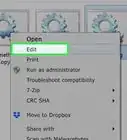
4Following lines should begin with "start", and contain a name of the executable file (.exe or .com) you want to include. For example: To run calculator, from your Windows "Start" menu, go to "Accessories", right click on calculator and select properties. Copy the shortcut path by highlighting it and pressing Ctrl-C. It should be similar to %SystemRoot%\system32\calc.exe
-
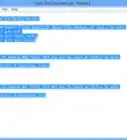
5Find all the programs you want to include. In this example, calculator and paintbrush are added, batch file will look like:
@echo off
start %SystemRoot%\system32\calc.exe
start %SystemRoot%\system32\mspaint.exe -
6Click on the "File" menu and select "Save" and close the file, your job is done.
-
7Go to the folder where you saved the file (the desktop in this example) and launch your newly created file (startmyprg.bat in this example) and enjoy.


Community Q&A
-
QuestionCan I open software programs without double clicking? If yes, how?
 Community AnswerThere are a few ways. 1. Highlight the programs and press Enter. 2. Highlight all of them, right click and press Open.
Warnings
- Works in Windows operating system only.Thanks!
- N.B. The path to the programs must be in old DOS style (unbelievable but true) i.e. c:\progra~1\... instead of c:\program files\... or use quotes(" ") around the path if it contains a space.Thanks!