This article was written by Darlene Antonelli, MA. Darlene Antonelli is a Technology Writer and Editor for wikiHow. Darlene has experience teaching college courses, writing technology-related articles, and working hands-on in the technology field. She earned an MA in Writing from Rowan University in 2012 and wrote her thesis on online communities and the personalities curated in such communities.
This wikiHow will teach you how to open CRU (Crush) files on any computer. Since CRU files are archived files, your computer might already have a default program that will open them.
Steps
-
1Double-click the file to open it. If the CRU file opens in a default program, you can skip the rest of this method.
- If you get an error message, continue.
-
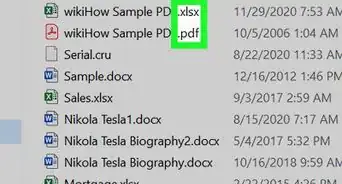
2Figure out the file type. On Windows, right-click the CRU file, click Properties, and look for the file type next to "Type of File." On Mac, right-click the CRU file, click More Info, and look for the file type next to "Kind."[1]
- Once you know the file type, you can move on to the next step. Unfortunately, the Crush application is no longer available, but a text-based CRU file can be opened in text programs like Notepad.[2]
Advertisement -
3Right-click the CRU file. A menu will open next to your cursor.
-
4Click Open With and select an application to open it with. A list of programs will display that can open the CRU file. If there are none listed, you may not be able to open it.Advertisement













References
About This Article

1. Double-click the file to open it.
2. Figure out the file type.
3. Right-click the CRU file.
4. Click Open With and select an application to open it with.