X
wikiHow is a “wiki,” similar to Wikipedia, which means that many of our articles are co-written by multiple authors. To create this article, 24 people, some anonymous, worked to edit and improve it over time.
This article has been viewed 283,605 times.
Learn more...
Ever want to mix things up on your computer screen? Ever think about moving your task bar on the top for a twist? Want your computer to look more like a Mac? This article will tell you how to move your task bar anywhere on your screen.
Steps
-
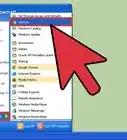
1Modify the task bar by right-clicking on the small "Start" icon at the bottom left-hand corner of the screen.
-
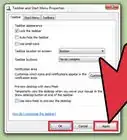
2Click "Properties". A new box will open called "Taskbar and Start Menu Properties". Click the tab at the top that says "Taskbar".Advertisement
-
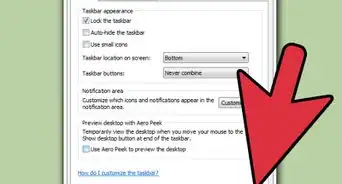
3Uncheck "Lock the Taskbar". This will allow the task bar to be modified.
-
4Click OK. Close all of the windows.
-
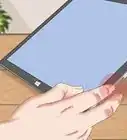
5Finally, as your mouse is over the Task bar icon, hold down the right mouse button (for XP hold both left and right) and drag it to the side. After dragging it to the side you can drag it up to the top.Advertisement


Community Q&A
-
QuestionHow do I restore my task bar to the bottom of the screen?
 Community AnswerFirst of all, you need to make sure that your task bar is not locked. You can do this by right-clicking an empty area on the taskbar and click 'Lock taskbar'. After this, you can hold the left button on an empty bit and drag it around the screen. Using this, move it to the bottom and you are done. To lock it again, just check the Lock box.
Warnings
- If too many items are added to the task bar, some of the items will not show up in the menu.Thanks!
Advertisement

About This Article
Advertisement