X
This article was written by Nicole Levine, MFA. Nicole Levine is a Technology Writer and Editor for wikiHow. She has more than 20 years of experience creating technical documentation and leading support teams at major web hosting and software companies. Nicole also holds an MFA in Creative Writing from Portland State University and teaches composition, fiction-writing, and zine-making at various institutions.
The wikiHow Tech Team also followed the article's instructions and verified that they work.
This article has been viewed 4,921 times.
This wikiHow teaches you four ways to minimize all windows at once when you’re using Windows.
Steps
-
1Press ⊞ Win+D. The ⊞ Win (Windows) key is near the bottom-left corner of the keyboard.
- This shortcut quickly hides all open windows and shows the desktop.
-
2Press ⊞ Win+M. The ⊞ Win (Windows) key is near the bottom-left corner of the keyboard.
- The difference between ⊞ Win+M and ⊞ Win+D is that ⊞ Win+M will use the standard animations when minimizing windows, which may not be as fast.
-
3Right-click the taskbar and select Show the desktop. This quickly hides all open windows and shows the desktop.
-
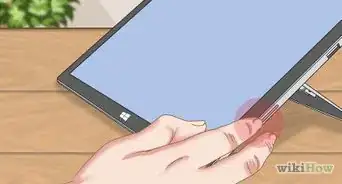
4Click the desktop button. This button is the thin vertical strip on the far-right edge of the taskbar. It's thin and the same color as the rest of the taskbar, but shaded different. All windows will disappear to display the desktop.
- This only works on Windows 10.




About This Article

Nicole Levine, MFA
Tech Specialist
This article was written by Nicole Levine, MFA. Nicole Levine is a Technology Writer and Editor for wikiHow. She has more than 20 years of experience creating technical documentation and leading support teams at major web hosting and software companies. Nicole also holds an MFA in Creative Writing from Portland State University and teaches composition, fiction-writing, and zine-making at various institutions. This article has been viewed 4,921 times.
How helpful is this?
Co-authors: 4
Updated: May 25, 2021
Views: 4,921
Categories: Windows