X
wikiHow is a “wiki,” similar to Wikipedia, which means that many of our articles are co-written by multiple authors. To create this article, 17 people, some anonymous, worked to edit and improve it over time.
This article has been viewed 15,862 times.
Learn more...
Are you tired of your animal on Animal Jam? Do you want to spice up your look, but don't know how? This article will show you how to do just that!
Steps
-
1Log in to your Animal Jam account. If you don't have an account, make sure you create one.
-
2Click on the switch animals button in the bottom left corner. It's a light blue circle with a koala on top and a monkey on the bottom, with 2 yellow arrows on the right and left side of them.
-
3Click on Create a new animal or recycle one of your animals. You can do this by clicking the light blue circle with a lighter blue recycling can in the bottom right corner, then clicking on the animal you want to recycle.
-
4Choose your animal. You don't have access to animals that are members only if you're a non-member. You can't buy an animal that is traveling or endangered.
-
5Click Next. Use the arrow keys to scroll through the names and choose a name for your animal. Click the lever on the right to get a random name.
-
6Click the Buy button. This means you will pay 1,000 gems, 5 diamonds, or 10 diamonds for your new animal.
-
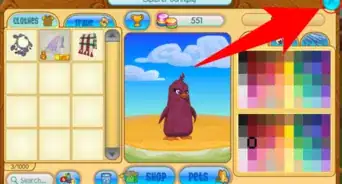
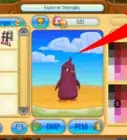
7Change the colors and put the clothes on your animal. This will make your animal look unique.


Warnings
- Don't recycle an animal unless you are sure you don't want it! You can't get an animal back when you recycle it.Thanks!
- Make sure you like your animal name since you can't change it later, unless you recycle it and buy a new animal.Thanks!
Things You'll Need
- An Animal Jam account
- 1,000 gems, 5 diamonds, or 10 diamonds
- An empty animal slot