X
wikiHow is a “wiki,” similar to Wikipedia, which means that many of our articles are co-written by multiple authors. To create this article, 35 people, some anonymous, worked to edit and improve it over time.
This article has been viewed 28,152 times.
Learn more...
Animal Jam is a fun website for kids, but it sometimes can be confusing for certain people when they first sign up. This article will show you how to easily sign up for an Animal Jam account.
Steps
Method 1
Method 1 of 2:Creating Your Account
Method 1
-
1Go to your default search engine and type in "Animal Jam". Then click "Search" or press the ↵ Enter button.
-
2Click the first result.Advertisement
-
3Click the green "Play Now" button at the bottom of the home page.
-
4
-
5Choose your animal character. There will be a variety of animals for you to choose from. Click on an animal and an enlarged version will appear on the right hand side.
- The seal and penguin are able to go into the underwater lands.
- There are other animals to choose from in the game, but these require a payment of 1,000 gems or 10 diamonds.
- Don't be afraid if you don't like the animal's current appearance. You can always change its colors and patterns as you please once you enter Animal Jam.
-
6Click on the green Next button. Make sure that you like the animal you have chosen before continuing.
-
7Choose the name of your animal. There are three sections to your animal's name. Click the up and down arrows to scroll through the list of available names, and choose the ones to your liking. Note that you cannot change your animal's name after confirming that you want it, unless if you delete the animal and choose its name again. Click the "Next button" to continue on.
- If you change your mind about the animal that you want, you can always click the "Back" button to go back to the animal choices.
- Click the handle bar on the right hand side of the animal name machine to randomize a name.
-
8Enter the required information about yourself. The information includes:
- Your gender
- Your age
- The Animal Jam username you will be using
- The Animal Jam password you will be using
-
9Click the "Next" button. On this page, you will be required to insert your parent's/guardian's email address. Be sure the email address exists.
- Make sure you type in the email address correctly, or it won't work.
-
10Read Animal Jam's Terms of Service, Privacy Policy, and rules.
-
11Agree to Animal Jam's rules. Click on the tiny box next to the words "I Agree" to confirm that you will follow these rules.
-
12Download Animal Jam or play on your browser.
-
13Go back to Animal Jam's home page.
-
14Click the green "Play Now" button on the bottom of the home page.
-
15Enter your Username and Password, then click "Submit" to play.Advertisement


Method 2
Method 2 of 2:Customizing Your Animal
Method 2
-
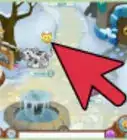
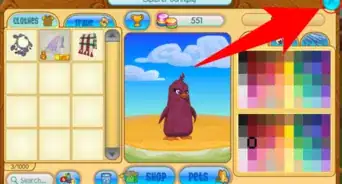
1Click on your animal icon in the lower left hand corner in the game. You will be presented with a pop-up screen of various features and categories, including clothes, trades, and pets.
-
2Choose a good color for your fur, eyes, and any body patterns you want to add. You can click on any of them, including the colors for a preview on your animal.Advertisement


Warnings
- Look out for scammers (people that trick you into giving up your items to them) and mean players. Avoid them if possible.Thanks!
- Always follow the Animal Jam rules, or your account might get suspended or banned!Thanks!
- Note that if you are a Non-Member that you will not get the full benefits of the game.Thanks!
Advertisement


About This Article
Advertisement