X
wikiHow is a “wiki,” similar to Wikipedia, which means that many of our articles are co-written by multiple authors. To create this article, volunteer authors worked to edit and improve it over time.
This article has been viewed 5,071 times.
Learn more...
Fer.al is a game developed by WildWorks in which you can play as mythological creatures, harvest ingredients, craft enigmas, earn likes, trade with others, decorate your sanctuary, customize your animal, go on quests, and more. However, you can't play as a guest, so you'll need to create an account first!
Steps
Part 1
Part 1 of 2:Downloading Fer.al
Part 1
-
1Become familiar with Fer.al's Terms of Service. Fer.al is a game restricted for those aged thirteen years and up, so children younger than that can't play it. Don't make an account if you are younger than thirteen, as you will be permanently banned if the staff at WildWorks find out.
-
2Download Fer.al at their website. When you visit Fer.al's website, you'll see a "Download for PC & Mac" button. Click the button to download the installer.
-
3
-
4Find your Applications tab in Finder and click Fer.al. This will open the game application.


Part 2
Part 2 of 2:Registering an Account
Part 2
-
1Click "Register" under the "New Player?" tab. This will bring you to a screen to create your account.
-
2Enter your birthday. Be honest, as young children can't play Fer.al.
- Remember to enter your birthday in the MM-DD-YYYY format.
-
3Enter your email. Be sure to enter a valid email, as to make an account, you need to enter a verification code sent to it.
-
4Choose a username. As of May 2020, Fer.al is in Early Access, which means many usernames are still available. You could probably get a username you like in a few tries!
- Remember that usernames must be 2-12 characters long.
- As of May 2020, there is a bug in which it says usernames can be 12 characters maximum, but the actual limit when you enter a username is 16 characters. This may be patched when the game fully releases.
-
5Choose a secure password. Passwords can be anywhere from 6-24 characters. To make sure your password is secure, use more than 10 characters, as well as a mix of capital and lowercase letters, non-chronological numbers, and symbols.
- Never make your password the same as your username.
-
6Check off the "I agree to the Terms of Service" box and click "Register". Re-read the Terms of Service if necessary.
-
7Open the email sent from no.reply@fer.al. The subject of the email will be "Fer.al."
-
8Enter the 5-digit verification code within ten minutes of receiving the email. The code will expire after this time period, so you'll have to prompt Fer.al to resend the email to get another code.
-
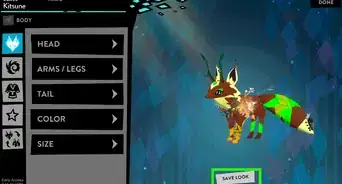
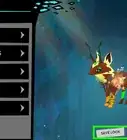
9Select a Kitsune or Senri as your starter avatar. Kitsunes are mythological foxes, and Senris are mythological cats. You can switch animals to the other avatar at any time, or purchase a Dragon.
-
10Enjoy the land of Fer.al!


Community Q&A
-
QuestionEvery time I try to make an account and press submit it won't let me. It says everything is correct but it still won't let me.
 Community AnswerThe servers may be full. Because fer.al is a fairly new game, many people are playing at a time.
 -
QuestionHow do I submit the verification code?
 HelpieTop AnswererAfter you click "Register", an email should be sent to your inbox containing the 5-digit verification code. The verification pop-up on Fer.al itself should automatically appear. Simply click the textbox, type in the 5 digits listed in the email, and click "Submit".
-Step-13.webp)




-Step-13.webp)