X
wikiHow is a “wiki,” similar to Wikipedia, which means that many of our articles are co-written by multiple authors. To create this article, volunteer authors worked to edit and improve it over time.
This article has been viewed 42,552 times.
Learn more...
YouTube is a great service for sharing your videos with the world. However, it is also a great way of sharing videos with friends, for their eyes only. Start with step one to find out how to make your video private, and if you want, share it with friends while still having it private!
Steps
-
1Log in to your YouTube account. You will find yourself on your Home page, with a list of recommendations.
-
2Go to the sidebar on YouTube. You will see all the people you subscribe to, and your library of playlists. Go to the top of the list, and just under "Home" click "My Channel".Advertisement
-
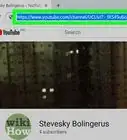
3Review your channel. You will see your uploaded video. Just above your channel art and your profile picture (if you have any of those), you will see your number of subscribers and your number of views overall, and then next to that, the third option will be "Video Manager". Click "Video Manager"
-
4Find yourself in your Creator Studio. On the sidebar, where it is now your Creator Studio, click the "Video Manger" button there just under "Dashboard" and you will see two options under "Video Manager" which is "Videos" and "Playlists". Make sure you are on "Videos".
-
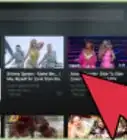
5Find the video you want to make private. Then look along the tab of the video, and on the right side you will see a tiny blue globe which stands for "public". Click on it.
-
6Scroll down and below the video you will see a button that says "Public". Click on "Public" and you will get a drop down list of options, and the three options are "Public", "Unlisted" and "Private". Click "Private"
-
7Go to the very bottom of the options, and click "Save Changes". Congratulations, your video is now private!Advertisement


Community Q&A
-
QuestionHow do you set up certain emails that can view the video?
 Community AnswerYou can do this in your channel's dashboard for an existing video or right when uploading a new video. When you click "Share Privately" you just type the email addresses of the people who you want to see the video.
 -
QuestionWhat is the difference between "private" and "unlisted"?
 Community AnswerPrivate videos are 100% concealed from the public, there's no way to view them unless you have a special link only accessible from email. Comments are also not available on private videos. Unlisted videos are still viewable to the public, but don't show up in your subscriber's feed or search results anywhere. Anyone with the link is able to view and share it.
 -
QuestionHow do you give access to those you want to be able to see the private video?
 Community AnswerGo to your channel's dashboard and click "Videos" in the sidebar to the left. Change the video's visibility level to "private" and type their email addresses in the box. They will get a notification in their inbox that has the link to the video. That's the only way someone can view a private video.
 -
QuestionIs there a way to add comments on a private video?Community AnswerNo. Private videos don't have a comment section and there's no setting to change that. There's no way to add comments to a private video even with the certain people you shared it with. If you want comments on a video that's not available to the public, change the video settings to unlisted.
-
QuestionWhy would someone want to change a public video to private?
 IsoldeTop AnswererA person might want to make this change to keep the video's content open to themselves only, or perhaps viewable by family or friends only. For example, they might have made the video public in error, they might not want other people seeing their children or family members, they might be tired of receiving feedback from a troll or they might have accidentally included information that could reveal their location, personal details or something they want kept private.
 -
QuestionWhat are some reasons that someone would make a private video?
 Community AnswerIt could be for any number of reasons. For example, private videos are usually personal content. Family videos/photos, school projects, and the like are kept private. They usually contain information that could give away the location/home of the uploader or anyone else in the video. Many of them are only important or valuable to a small group of insiders, such as family members or friends. Some people upload private videos for only themselves to view. Private videos can also be used for collaborations/projects between a few people to work on before the project is finished.
Warnings
- This is how to change your video from public to private, so the video that you are going to make private must be already uploaded and public.Thanks!
Advertisement

About This Article
Advertisement