X
This article was co-authored by wikiHow Staff. Our trained team of editors and researchers validate articles for accuracy and comprehensiveness. wikiHow's Content Management Team carefully monitors the work from our editorial staff to ensure that each article is backed by trusted research and meets our high quality standards.
The wikiHow Tech Team also followed the article's instructions and verified that they work.
This article has been viewed 196,376 times.
Learn more...
This wikiHow teaches you to invite people not in your friends list to groups on Facebook. You will either need to know their email address or they will have to request access from the group page.
Steps
Method 1
Method 1 of 3:iPhone
Method 1
-
1Open the Facebook app. If prompted, enter your username or password and tap Log in.
-
2Tap ☰. This in the menu bar at the bottom of the screen.
-
3Tap Groups.
-
4Tap the group you want to invite people to.
- If you are making a new group, tap Create Group.
-
5Tap Add Members.
-
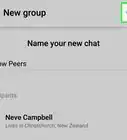
6Enter the email of the person you want to invite. You can add multiple emails at once.
-
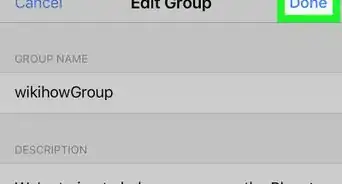
7Tap Done. An invitation to join the group will be sent to that person's email. They can click the link and login with their Facebook account to join the group.
- If creating a new group, this button will labeled Next.


Method 2
Method 2 of 3:Android
Method 2
-
1Open the Facebook app. If prompted, enter your username or password and tap Log in.
-
2Tap ☰. This in the menu bar at the top of the screen.
-
3Tap Groups.
-
4Tap the group you want to invite people to.
- If you are making a new group, tap Create Group.
-
5Tap Add Members.
-
6Enter the email of the person you want to invite. You can add multiple emails at once.
-
7Tap Done. An invitation to join the group will be sent to that person's email. They can click the link and login with their Facebook account to join the group.
- If creating a new group, this button will labeled Next.


Method 3
Method 3 of 3:Desktop
Method 3
-
1Navigate to Facebook in your web browser. If prompted, enter your username or password and click Log in.
-
2Click Groups. This is in the left sidebar.
-
3Click the group you want to invite people to.
- If you are making a new group, click Create Group in the upper right.
-
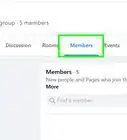
4Click Add Friends to Group. This is in the upper right, under Members.
-
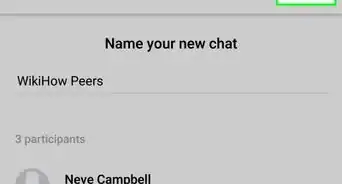
5Enter the email of the person you want to invite.
- You can enter multiple emails into the field, separated by a comma.
- If creating a new group, this field will be labeled Members.
-
6Click Invite. An invitation to join the group will be sent to that person's email. They can click the link and login with their Facebook account to join the group.
- If creating a new group, this button will be labeled Create.
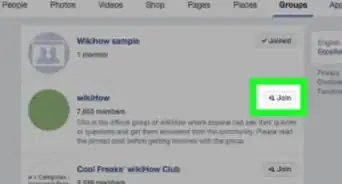
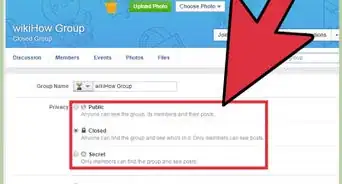
- Alternately, you can copy/paste the group's URL and send it to them via Facebook message or text (if you have their phone number). From that page they can click Join Group. If the group is private you will have to approve the request. This method will not work if the group is secret.





About This Article

wikiHow Staff
wikiHow Staff Writer
This article was co-authored by wikiHow Staff. Our trained team of editors and researchers validate articles for accuracy and comprehensiveness. wikiHow's Content Management Team carefully monitors the work from our editorial staff to ensure that each article is backed by trusted research and meets our high quality standards. This article has been viewed 196,376 times.
How helpful is this?
Co-authors: 4
Updated: August 28, 2020
Views: 196,376
Categories: Facebook Groups