This article was co-authored by Darlene Antonelli, MA. Darlene Antonelli is a Technology Writer and Editor for wikiHow. Darlene has experience teaching college courses, writing technology-related articles, and working hands-on in the technology field. She earned an MA in Writing from Rowan University in 2012 and wrote her thesis on online communities and the personalities curated in such communities.
This article has been viewed 3,977 times.
This wikiHow will teach you how to download and install Spring on your Mac or Windows computer. Spring is a coding (like Java) environment that's free and you must have Java SDK v1.8 or higher.
Steps
-
1Go to https://spring.io/tools. You can also open a web browser and search STS download to find the same result.[1]
- You can also go to "Manual Downloads" at https://docs.spring.io/spring-boot/docs/current/reference/html/getting-started.html and click the appropriate download for your computer (.zip for Windows and .tar.gz for Mac).[2]
-
2Click the appropriate download. There are downloads listed for Mac, Linux, Windows, Visual Studio, and Theia.
-
3Double-click the downloaded file. Many web browsers will show you a notification when you have a download complete and you can click it to open it. If not, you'll find the file in the Downloads folder.
-
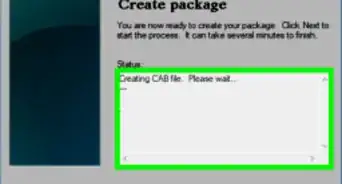
4Follow the on-screen instructions. Since the file is a self-extracting file, you just need to double-click it to start it.
- You'll see an "Unpacking" window appear when you double-click the file.
-
5Double-click the program file in the unpacked folder. You'll find the .dmg or .exe file in the "Release" folder that's created when the downloaded file self-extracts.
- After the file is extracted, you'll be able to run the program and start creating Spring Boot applications.







References
About This Article

1. Go to https://spring.io/tools.
2. Click the appropriate download.
3. Double-click the downloaded file.
4. Follow the on-screen instructions.
5. Double-click the program file in the unpacked folder.