X
wikiHow is a “wiki,” similar to Wikipedia, which means that many of our articles are co-written by multiple authors. To create this article, volunteer authors worked to edit and improve it over time.
The wikiHow Tech Team also followed the article's instructions and verified that they work.
This article has been viewed 159,132 times.
Learn more...
QEMU is a Linux emulator used to create virtual machines. Many people use Virtual Box on Windows, but fir Linux, you can use QEMU instead.
Steps
-
1Check if the CPU has the support of hardware for virtualization. On Intel, the processor is Intel VT and for AMD processors, it's AMD-V. Run the following command to check your machine's virtualization features:
- egrep '(vmx
-
2Install bridge-utils using these commands line:
- sudo apt-get install -y bridge-utils resolvconf
- sudo ifup br1
- sudo service networking restart
Advertisement -
3Install KVM:
- apt-get update
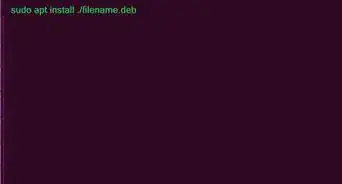
- sudo apt-get install -y qemu-kvm qemu virt-manager virt-viewer libvirt-bin
-
4Creating a virtual machine. You can create virtual machines in the command line or in graphical mode.
- For the command line, the command is:
sudo virt-install --name=itzgeekguest --ram=1024 --vcpus=1 --cdrom=/var/lib/libvirt/images/CentOS-6.9-x86_64-minimal.iso --os-type=linux --os-variant=rhel7 --network bridge=br1 --graphics=spice --disk path=/var/lib/libvirt/images/itzgeekguest.dsk,size=4
- For graphical mode, you need to be root. Sometimes starting the Virtual Machine Manager from Dashboard does not give all the features to create a virtual machine.
- sudo virt-manager
- For the command line, the command is:
-
5Open the Virtual Machine Manager.
- Choose "File" and "New Virtual Machine".
- Browse for the desired operating system.
- Choose the type and version for your operating system.
- Choose your memory and CPU settings.
- Tick "Enable storage for this virtual machine" and "Create a disk on the computer's hard drive," or pick "Select managed or other existing storage" and select your desired storage.
- Choose "Advanced options" to select bridge networking; this allows the communication to outside networks.
- Give a name to the VM and tick "Set a fixed MAC address".
Advertisement




References
About This Article
Advertisement