X
wikiHow is a “wiki,” similar to Wikipedia, which means that many of our articles are co-written by multiple authors. To create this article, volunteer authors worked to edit and improve it over time.
This article has been viewed 2,208 times.
Learn more...
PowerToys is a program that adds some experimental features to Windows 10. Current features include more window snapping options, Spotlight-like search, and keyboard button remapping. This wikiHow will show you how to install Microsoft PowerToys on Windows 10.
Steps
-
1Go to the website of PowerToys. PowerToys is available on GitHub at this link and is licensed under the MIT license.
-
2Click on Downloading & Release notes. This will take you to a page where you can download PowerToys.
-
3Click on the .msi file. This will download the PowerToys installer to your PC.
-
4Run the MSI file. This will start the installation of PowerToys.
-
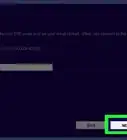
5Click on Next.
-
6Accept the terms of the license agreement. PowerToys is licensed under the MIT license, meaning that you can modify and share PowerToys, provided that you license your changes under the MIT license. Click on Next.
-
7Confirm that PowerToys is installing to the correct directory. Then click on Next.
-
8Click on Install. This will install PowerToys to your PC.
-
9Click on Finish. After doing so, you can run PowerToys and gain access to a few experimental Windows 10 features.


-Step-17.webp)

-Step-17.webp)