This article was written by Nicole Levine, MFA. Nicole Levine is a Technology Writer and Editor for wikiHow. She has more than 20 years of experience creating technical documentation and leading support teams at major web hosting and software companies. Nicole also holds an MFA in Creative Writing from Portland State University and teaches composition, fiction-writing, and zine-making at various institutions.
This article has been viewed 4,251 times.
This wikiHow will teach you how to install the latest version of JDK. The right way to install JDK will depend on whether you're using Ubuntu, Linux Mint, or Debian, but it's a straightforward process regardless, and we'll walk you through each method step-by-step! Check out the steps below to get started.
Steps
Method 1
Method 1 of 2:Using Ubuntu or Linux Mint
-
1Press Ctrl+Alt+T to open a new terminal window. If you're already at the command prompt, just skip to the next step.
-
2Type sudo add-apt-repository ppa:linuxuprising/java and press ↵ Enter. This adds the Linux Uprising repository.[1]
-
3Type sudo apt update and press ↵ Enter. Now that the repository is ready, you can use it to install JDK.
-
4Type sudo apt install oracle-java12-installer and press ↵ Enter. JDK is now installed.
-
5Type sudo apt install oracle-java12-set-default and press ↵ Enter. This sets Java 12 as the default Java version.
- To double-check the default version, type java --version at the command prompt and press ↵ Enter.


Method 2
Method 2 of 2:Using Debian
-
1Press Ctrl+Alt+T to open a new terminal window. If you're already at the command prompt, just skip to the next step.
-
2Type su - and press ↵ Enter.
-
3Add the Linux Uprising repository. Here's how:
- Type echo "deb http://ppa.launchpad.net/linuxuprising/java/ubuntu bionic main" and press ↵ Enter.
- Type apt-key adv --keyserver hkp://keyserver.ubuntu.com:80 --recv-keys 73C3DB2A and press ↵ Enter.
-
4Type apt-get update and press ↵ Enter.
-
5Type apt-get install oracle-java12-installer and press ↵ Enter.
-
6Type exit and press ↵ Enter. JDK is now installed.
-
7Type sudo apt install oracle-java12-set-default and press ↵ Enter. This sets Java 12 as the default Java version.
- To double-check the default version, type java --version at the command prompt and press ↵ Enter.








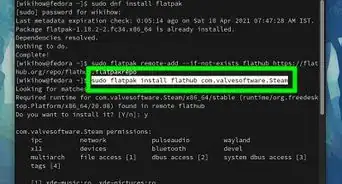
About This Article

1. Open a terminal window.
2. Type sudo add-apt-repository ppa:linuxuprising/java and press Enter.
3. Type sudo apt update and press Enter.
4. Type sudo apt install oracle-java12-installer and press Enter.
5. Type sudo apt install oracle-java12-set-default and press Enter.