This article was co-authored by wikiHow staff writer, Hannah Madden. Hannah Madden is a writer, editor, and artist currently living in Portland, Oregon. In 2018, she graduated from Portland State University with a B.S. in Environmental Studies. Hannah enjoys writing articles about conservation, sustainability, and eco-friendly products. When she isn’t writing, you can find Hannah working on hand embroidery projects and listening to music.
This article has been viewed 2,853 times.
Learn more...
Cypress is a testing software for code in web browsers. You may want to use it to make sure your coding works correctly. This wikiHow will teach you how to download and install Cypress on your Mac or Windows computer. If you have Node, you can simply use the Node Package Manager to execute npm install cypress -save-dev using a command prompt window.[1]
Steps
-
1Go to https://download.cypress.io/desktop in a web browser. This is not recommended as a few features do not come with the ZIP download, such as the dashboard, which offers records of your previous tests and the ability to create and manage project ownership.[2] Downloading Cypress with the Node Package Manager is preferred.[3]
- Your operating system is detected automatically, so you'll get the correct ZIP in the download. Double-clicking the file will open it and launch the installation of Cypress on both Windows and Mac.
-
2Navigate to and double-click the installed ZIP. It should show you what is inside the zipped folder and open the application.
- A Cypress window will open.
-
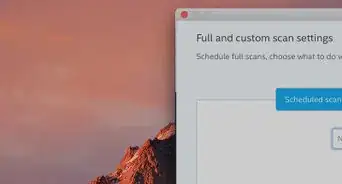
3Drag and drop your project folder into the Cypress window. It'll load your web project in a browser so you can test it out.[4]




References
- ↑ https://www.w3resource.com/cypress/installing-cypress.php
- ↑ https://docs.cypress.io/guides/dashboard/introduction.html#Features
- ↑ https://docs.cypress.io/guides/getting-started/installing-cypress.html#Direct-download
- ↑ https://docs.cypress.io/guides/getting-started/installing-cypress.html#Direct-download
About This Article

1. Go to https://download.cypress.io/desktop in a web browser.
2. Navigate to and double-click the installed ZIP.
3. Drag and drop your project folder into the Cypress window.