This article was written by Travis Boylls. Travis Boylls is a Technology Writer and Editor for wikiHow. Travis has experience writing technology-related articles, providing software customer service, and in graphic design. He specializes in Windows, macOS, Android, iOS, and Linux platforms. He studied graphic design at Pikes Peak Community College.
The wikiHow Tech Team also followed the article's instructions and verified that they work.
This article has been viewed 129,192 times.
This wikiHow teaches you how to open an image and place an image in Photoshop. Opening an image in Photoshop will open an image to be editing. Placing an image will insert an image as a new layer in an existing Photoshop file. This is useful if you are combining elements of an image.
Steps
Method 1
Method 1 of 2:Open an Image in Photoshop
-
1Open Photoshop. It's the app that has a blue square that says "Ps" in the middle.
-
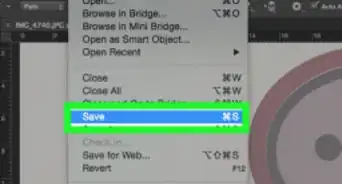
2Click File. It's in the menu bar at the top of the screen.
-
3Click Open. This will open a file browser you can use the browse images.
-
4Navigate to and select an image. Use the file browser window to browse files on your computer. Click on an image to select it.
-
5Click Open. This will open the image in Photoshop.
- Alternatively, you can click Open on the opening screen of Photoshop and browse and image and open it.
Method 2
Method 2 of 2:Place an Image in Photoshop
-
1Open Photoshop. It's the app that has a blue square that says "Ps" in the middle.
-
2Open an image or Photoshop file. You can either open an existing Photoshop file, image, or create a new Photoshop file.
-
3Click File. It's in the menu bar at the top of the screen.
-
4Click Place. This will open a file browser window that will allow you to browse image.
-
5Navigate to select an image. Use the file browser window to browse files on your computer. Click on an image to select it.
-
6Click Place. This will place the image in the Photoshop file or image as a new layer.


-Step-9.webp)

About This Article

1. Open Photoshop.
2. Click Open.
3. Select an image.
4. Click Open.