X
wikiHow is a “wiki,” similar to Wikipedia, which means that many of our articles are co-written by multiple authors. To create this article, volunteer authors worked to edit and improve it over time.
This article has been viewed 82,722 times.
Learn more...
LG phones usually arrive with a number of generic ringtones. If you want new ringtones featuring music, you can create them with an Android/LG ringtone application. This app can be used with most current LG smart phones that run on the Android operating system. Older LG handsets may need to download ringtones using a different method. Read the guidelines below to learn how to get free ringtones for the LG cell phones.
Steps
Part 1
Part 1 of 4:Download Music
Part 1
-
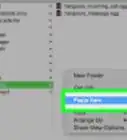
1Download music onto your Android LG phone. You will want to plug your LG phone into your computer using the USB cord.
- Make sure you choose to save the music to your SD card. Eject the device before unplugging the USB cable.
-
2Ensure the music plays on your LG phone. If you have formats other than MP3 and AAC, you may need to use an audio file converter.
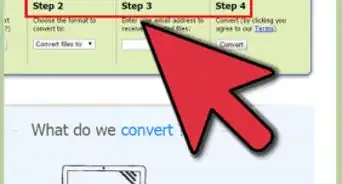
- LG phones will not play Windows Media Player files (WMA). You can use the free online converter at http://audio.online-convert.com/convert-to-wma to convert the files before you connect your LG phone with the USB cord.


Part 2
Part 2 of 4:Download Android Application
Part 2


Part 3
Part 3 of 4:Use Ringdroid
Part 3
-
1Open the Ringdroid app. Your audio files should appear automatically in the application. If they do not, check that they are properly stored on your SD card.
-
2Choose the song you want to turn into a ringtone.
-
3Play the song once, to select which portion of the song you want to use in your ringtone.
-
4Move the gray sliders on either side of the screen to select the start and end point for the ringtone.
-
5Click "Play" to play the ringtone as you edit it.
-
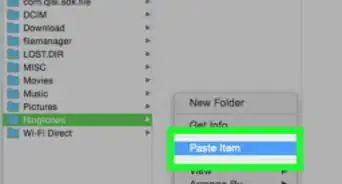
6Select "Save." Name the ringtone. Your ringtone should be saved in your ringtones folder on your LG phone.


Part 4
Part 4 of 4:Select Ringtone
Part 4


Things You'll Need
- MP3/AAC music files
- USB cord
- SD card
- Ringdroid app