This article was written by Nicole Levine, MFA. Nicole Levine is a Technology Writer and Editor for wikiHow. She has more than 20 years of experience creating technical documentation and leading support teams at major web hosting and software companies. Nicole also holds an MFA in Creative Writing from Portland State University and teaches composition, fiction-writing, and zine-making at various institutions.
The wikiHow Tech Team also followed the article's instructions and verified that they work.
This article has been viewed 3,617 times.
To forward a message on the Apple Messages app (formerly known as an iMessage), tap and hold the message bubble → tap “More” → tap the arrow → enter a contact → click “Send.”
Steps
Method 1
Method 1 of 2:iOS
-
1Open the Messages app.
-
2Tap a conversation.Advertisement
-
3Tap and hold a message bubble.[1]
-
4Tap More. Empty circles will appear next to the other messages.
-
5Tap more message bubbles. You can skip this step if you only want to forward one message. As you tap, blue checkmarks will fill the empty circles to show selected messages.
-
6Tap the arrow icon. It’s at the bottom right corner of the screen. This will open a new Message thread containing the selected message(s).
-
7Enter a contact name or number. This is the contact information for the person who’ll receive the forwarded message(s).
-
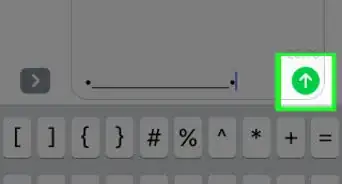
8Tap Send. It’s the blue button with an upward-pointing arrow. The forwarded messages will now arrive at their destination.Advertisement


Method 2
Method 2 of 2:macOS
-
1Open the Messages app. If you send and receive texts on macOS, you can forward a message to anyone who can receive SMS or iMessages.
-
2Click a conversation.
-
3Click a message bubble. Just click once. The bubble will turn a lighter color to show that it’s selected.[2]
-
4Hold ⌘ Command as you click other bubbles. Do this if you want to select more message bubbles to forward. Let go of ⌘ Command when you’re finished.
-
5Press Control and click a selected bubble. A small menu will expand.
-
6Click Forward. A new Message thread containing the selected message(s) will appear.
-
7Type a contact name or phone number. This should be the person to whom you want to forward the message.
-
8Click Send. The recipient will now receive the message(s).Advertisement





References
About This Article