X
wikiHow is a “wiki,” similar to Wikipedia, which means that many of our articles are co-written by multiple authors. To create this article, volunteer authors worked to edit and improve it over time.
This article has been viewed 44,463 times.
Learn more...
Have you ever liked a font some website is using? Want to know which font the website is using? Here is a simple solution, which allows you to quickly collect all the font details a web page is using.
Steps
Method 1
Method 1 of 1:Using Google Chrome Extension: WhatFont
Method 1
-
1Open Google chrome browser on your computer.
-
2Click on Apps.
-
3Visit the Chrome Web store.
-
4Search for "Whatfont" in the search box.
-
5Click on the extensions tab.
-
6Open the search result "WhatFont" to read more about it. Read the description of the extension on the right, and other information such as the ratings and number of downloads.
-
7Click on the "+free" button on the right side.
-
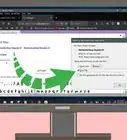
8Click on "add" from the window that pops up. As you can see, the WhatFont Button has been installed on your Google Chrome browser.
-
9Navigate to a website and Click on this "WhatFont" button.
-
10Click on any text portion of the website to determine the font details. This is how you can collect all font details.


Community Q&A
-
QuestionWhy does Chrome eat more data?
 Community AnswerChrome has many more features than more simple browsers. It also partially loads the top search results to make loading of the page you clicked on quicker.