This article was written by Nicole Levine, MFA. Nicole Levine is a Technology Writer and Editor for wikiHow. She has more than 20 years of experience creating technical documentation and leading support teams at major web hosting and software companies. Nicole also holds an MFA in Creative Writing from Portland State University and teaches composition, fiction-writing, and zine-making at various institutions.
This article has been viewed 4,810 times.
When a YouTube video's privacy is set to "unlisted," you can't find the video by searching or browsing YouTube—only people who have a link to the video can watch it. And as of July 2021, all unlisted YouTube videos uploaded prior to 2017 were set to private, which has drastically decreased the amount of available unlisted YouTube videos. Though you can't find a particular unlisted YouTube video without its link, you can discover other unlisted videos by browsing playlists, or by using an archive site like Unlisted Videos. If you're looking for your own unlisted videos, you're in luck—they're easy to find in the YouTube Studio editor.
Steps
Question 1
Question 1 of 3:Can I search for other people's unlisted videos?
-
1Unlisted videos won't appear in search results on YouTube or in Google. The only exception is if someone shared that unlisted video somewhere public, such as on Twitter, in a blog post, or on a forum. But there are still some options for coming across unlisted videos:
- Visit https://unlistedvideos.com. Unlisted Videos is a massive archive of unlisted YouTube videos, including many from 2016 and earlier. You can search or browse through more than 600,000 unlisted YouTube videos on this site.
- Browse people's YouTube playlists. People often add their unlisted videos to their own playlists, which makes them easier to find even though they aren't searchable in YouTube or through Google. You can see a person's public playlists by clicking their name in YouTube and selecting the Playlists tab.

Question 2
Question 2 of 3:Why are so many unlisted videos now private?
-
1YouTube switched all unlisted videos uploaded before January 2017 to private. If you had any older unlisted videos bookmarked, or had them embedded on websites or in presentations, they probably stopped working back in July 2021.[1]
- The owner of the video can switch it back to unlisted (or make it public) to restore others' access to the video. But if the owner hasn't done that, the video will remain private forever (or until they do change it).

Question 3
Question 3 of 3:How can I find my own unlisted videos?
-
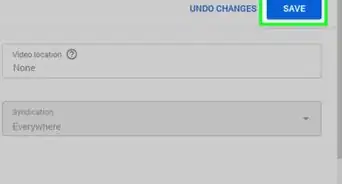
1Your unlisted videos are easy to find in YouTube Studio. Here's how to find them:
- Log in to YouTube Studio.
- Click the Content tab.
- Click the funnel icon at the top of the video list and select Visibility.
- Choose Unlisted as the visibility type.
- Since any unlisted videos you uploaded before 2017 were marked as private in July 2021, you can find those by selecting Private from the visibility folder instead.

References
About This Article

There's no way to find an unlisted YouTube video if you don't have the link. These videos are not searchable. But you can try an unlisted video archive like UnlistedVideos.com to see if someone submitted it there, or browse the playlist of the person who created it to see if they added it to the list. Also, if a video was shared as Unlisted prior to 2017, it was automatically marked as Private by YouTube in July 2021.