This article was written by Nicole Levine, MFA. Nicole Levine is a Technology Writer and Editor for wikiHow. She has more than 20 years of experience creating technical documentation and leading support teams at major web hosting and software companies. Nicole also holds an MFA in Creative Writing from Portland State University and teaches composition, fiction-writing, and zine-making at various institutions.
The wikiHow Tech Team also followed the article's instructions and verified that they work.
This article has been viewed 4,284 times.
This wikiHow teaches you how to find somewhere to park near your driving destination using Google Maps for Android.
Steps
-
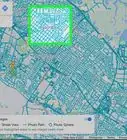
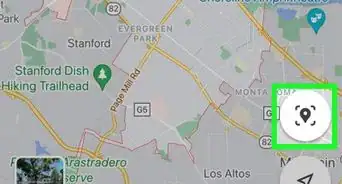
1Open Google Maps on your Android. It's the multicolored map icon labeled “Maps” on the home screen or in the app drawer.
-
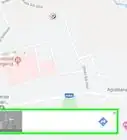
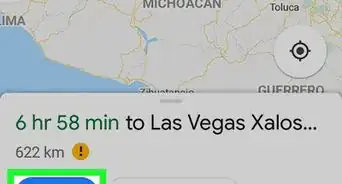
2Tap Go. It's at the bottom-right corner of the screen.
-
3Tap your starting location. It's the blank at the top of the screen.
-
4Enter or select your starting point. Type an address or landmark, then select it from the search results.
- You can also tap one of the suggestions on the screen, such as Work or Home, if applicable.
- To get directions from where you are now, tap Your location.
-
5Tap Choose destination. It's the second blank at the top of the screen.
-
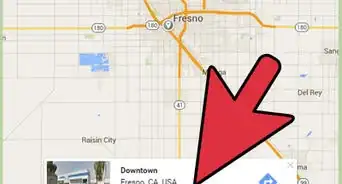
6Enter or select your destination. As with the starting point, enter your destination, then select it from the search results. A map will appear containing a route to the destination.
- Alternatively, select one of the suggestions or tap a location on the map.
-
7Tap the red “P” icon. It's beneath the estimated time below the map.
-
8Tap FIND PARKING. A list of places to park within walking distance of your location will appear.
-
9Tap ADD PARKING next to your selection. It's the icon with a large blue P. The parking spot is now added to your driving directions.


About This Article

1. Open Maps.
2. Tap Go.
3. Tap the first blank.
4. Select a starting point.
5. Tap the second blank.
6. Select a destination.
7. Tap the red P.
8. Tap FIND PARKING.
9. Tap ADD PARKING next to an option.