This article was written by Nicole Levine, MFA. Nicole Levine is a Technology Writer and Editor for wikiHow. She has more than 20 years of experience creating technical documentation and leading support teams at major web hosting and software companies. Nicole also holds an MFA in Creative Writing from Portland State University and teaches composition, fiction-writing, and zine-making at various institutions.
The wikiHow Tech Team also followed the article's instructions and verified that they work.
This article has been viewed 322,819 times.
This wikiHow teaches you how to figure out which way is north on Google Maps on your computer. Since you can no longer rotate or otherwise reorient the map on a PC or Mac, the north side of the map will always be upwards, or at the top of the map. But if you're using Street View in Google Maps to browse a location close-up, you can always identify which direction is north using the compass—the red point of the compass needle always points north.
Steps
Method 1
Method 1 of 2:Using Street View
-
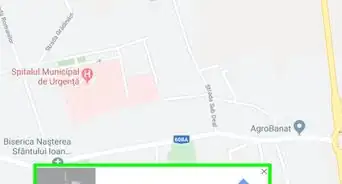
1Go to https://maps.google.com in your web browser. You can use any web browser on your computer, including Safari, Edge, and Chrome, to access Google Maps.
-
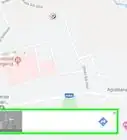
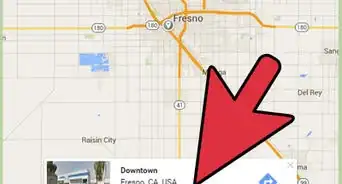
2Find a location on the map. You can search a location in the Search bar on the top-left, or click the "+" and "-" icon on the bottom-right to zoom in and zoom out.
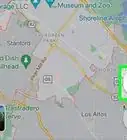
- To go to your current location, click the icon that looks like a gray target at the bottom-right corner of the map. If you haven't given Maps permission to use your location, you may be prompted to do so now.
Advertisement -
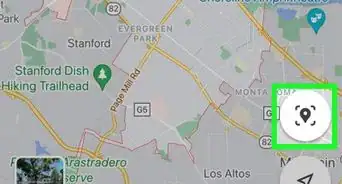
3Drag and drop the orange human icon to the map. Find the small orange person icon in the lower-right corner of the map, and then drop it on the location you want to explore on the map. This will switch to the Street View mode.
- Street View is not available for all locations. To figure out where you can use Street View, click and hold the orange person anywhere over the map—you can drop the person on any of the highlighted blue roads. If dropping the orange person icon doesn't bring you to a street-level view of the area, you'll know you can't see street view at that location.
-
4Use the mouse to drag Street view in any direction. You can orient your view however you'd like.
-
5Note the red end of the needle on the compass icon. Find the compass icon in the lower-right corner of your street view, and check which direction the red point is facing. No matter which direction you face in Street View, the red point automatically moves so that it always points north.Advertisement


Method 2
Method 2 of 2:Using the Regular Map View
-
1Go to https://maps.google.com in your web browser. You can use any web browser on your computer, including Safari, Edge, and Chrome, to access Google Maps.
-
2Find a location on the map. You can search a location in the Search bar on the top-left, or click the "+" and "-" icon on the bottom-right to zoom in and zoom out.
-
3Locate the north. The orientation of Google Maps is always the same when you're browsing on a computer. North is on the top of the map, and south is on the bottom. The left will always be west, and the right is always east. Anything directly above the location you're browsing is always to the location's north.
- It was once possible to reorient/rotate the map in your web browser, but that feature is now only available in the mobile version of Google Maps.
Advertisement


Community Q&A
-
QuestionI read the answer about getting true North on my Google Maps on my PC. But I want to know an exact bearing with a compass reading, not an approximation. Can Google Maps do that?
 Rudy TothCommunity AnswerGoogle Photos uses longitude and latitude measure of the location your camera is in while taking pictures.
 -
QuestionIs Google North true North or magnetic North?
 پارسا سلیمانیCommunity AnswerIt is true North. And you can also see the magnetic North on your screen.
About This Article

1. Search for a location or zoom in on the map.
2. Drag the orange person icon and drop it on any blue highlighted road.
3. Click and drag the street view map in any direction.
4. Find north by noting the direction of the red compass needle.