wikiHow is a “wiki,” similar to Wikipedia, which means that many of our articles are co-written by multiple authors. To create this article, volunteer authors worked to edit and improve it over time.
The wikiHow Tech Team also followed the article's instructions and verified that they work.
This article has been viewed 64,574 times.
Learn more...
So you've just finished installing Apache server and PHP and now you're ready for your database. If you're interested in trying the serverless SQLITE, you may be happy to know there is no installation required, it's already included with PHP 5.0 and greater. If you are a Windows user however, you need to enable the .dll files used by SQLITE in the php.ini file. It's easy, but can be frustrating if you don't know what you're doing.
Steps
-
1Open php.ini in a text editor.
-
2Search for the following lines:
- ;extension=php_pdo.dll
- ;extension=php_sqlite.dll
-
3Remove the semi-colon in front of each line. A semi-colon denotes a commented line. By removing the semi-colon, you are uncommenting the line and telling php to execute the commands. If you cannot find these two lines, add them to php.ini in the exact same order, but without the semi-colons.
-
4Save your php.ini file.


Warnings
- If needed, enter the command lines above in the exact order. This is the order the modules will load. SQLITE may not work correctly if the order is wrong.Thanks!
- If using "Save As..." when saving php.ini, make sure you select "All Files" as the file type otherwise your text editor may save the file as php.ini.text.Thanks!
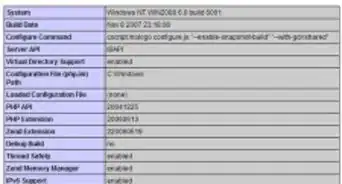
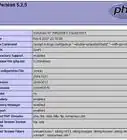
- Be sure php.ini is in the correct directory. Use phpinfo() to determine which directory php is reading php.ini from.Thanks!


-Step-55-Version-2.webp)




-Step-55-Version-2.webp)









































