This article was written by Nicole Levine, MFA. Nicole Levine is a Technology Writer and Editor for wikiHow. She has more than 20 years of experience creating technical documentation and leading support teams at major web hosting and software companies. Nicole also holds an MFA in Creative Writing from Portland State University and teaches composition, fiction-writing, and zine-making at various institutions.
The wikiHow Tech Team also followed the article's instructions and verified that they work.
This article has been viewed 1,718 times.
This wikiHow teaches you how to make the photos and posts you’re tagged in require approval before they appear in your timeline.
Steps
-
1Go to https://www.facebook.com in a web browser. If you see the sign-in screen, type your Facebook username and password into the blanks and click Log In.
-
2Click the downward-pointing arrow. It’s near the top-right corner of the screen next to the “?” icon. A menu will appear.Advertisement
-
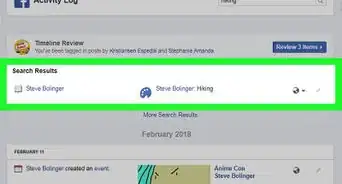
3Select Activity Log.
-
4Click Timeline Review. It’s in the “Filters” list on the left side of the screen.
-
5Click the gear icon. It’s near the top of the screen next to “Notifications.”
-
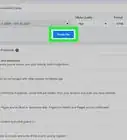
6Click the drop-down menu that says Disabled. It’s at the top-right corner of the Timeline Review box.
-
7Select Enabled. The drop-down menu’s text should now say “Enabled.”
-
8Click Close. Now, when someone tags you in a new photo or post, you’ll need to approve it before it appears in your timeline.Advertisement







About This Article

1. Log in to https://www.facebook.com.
2. Click the downward-pointing arrow.
3. Select Activity Log.
4. Click Timeline Review.
5. Click the gear icon.
6. Click the Disabled drop-down menu.
7. Select Enabled.
8. Click Close.