X
wikiHow is a “wiki,” similar to Wikipedia, which means that many of our articles are co-written by multiple authors. To create this article, volunteer authors worked to edit and improve it over time.
This article has been viewed 32,220 times.
Learn more...
Noticing a typo right after you've posted something - it's a common and relatable problem we've all experienced at least once. This could be one of the many reasons you may want to edit a post after you've uploaded it.
Steps
-
1Navigate to the dashboard. You will be automatically redirected to the dashboard after you log in. If you are on another Tumblr page, click the Dashboard button in the upper-right corner.
-
2Click the Account button. This button is located in the upper-right corner, on the left of the blue Make a Post button. After you click the button, a window should drop down.
-
3Click the Posts button. This button is located under the Tumblrs tab in the window that just dropped down. You will be redirected to a list of all your posts.
-
4Locate the post you want to edit. The posts will be ordered chronologically, so you only have to scroll until you found the unwanted post.
-
5Click the gear-shaped button. This button is located in the lower-right corner of every post. A small menu will pop up.
-
6Click Edit. The usual editing menu should now pop up.
-
7Make the necessary changes.
-
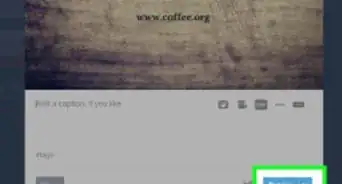
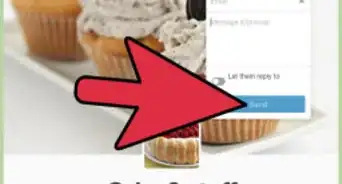
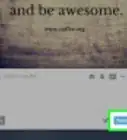
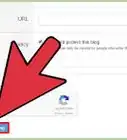
8Click Save to save your changes. This is indicated in red. You can also click on the smaller arrow, indicated in green, next to Save, for extra options, such as Post privately and Preview on blog.


Community Q&A
-
QuestionIf I edit a post on Tumblr, will the post go straight to the top of the page?
 Community AnswerNo, but it will go somewhere near the top of the page.
 -
QuestionIf I edit a Tumblr post that someone has already reblogged, will their post be changed too?
 Community AnswerTumblr currently offers no direct way to see if a post by another user has been edited. But if a post is reblogged, and the original post is then edited, the reblog will not change to reflect the changes to the original post.
 -
QuestionIf I edit a post (like I change a photo) that has been reblogged by other users, will the changes appear on their reblogs, or will they just appear on the future reblogs?Community AnswerIf you edit your original post after I've reblogged it, my reblog won't be changed because it's an independent post from yours, but if someone else comes along now and reblogs your original post, their reblog will have the new changes since that's the point in time it uses the original post content.
-
QuestionWhen I edit a post, will all the reblogs that have been made to it be edited as well?
 The logo MakerCommunity AnswerYes. Actually they are linked to the original post or blog so they will also change.