X
This article was written by Nicole Levine, MFA. Nicole Levine is a Technology Writer and Editor for wikiHow. She has more than 20 years of experience creating technical documentation and leading support teams at major web hosting and software companies. Nicole also holds an MFA in Creative Writing from Portland State University and teaches composition, fiction-writing, and zine-making at various institutions.
This article has been viewed 2,682 times.
This wikiHow teaches you how to suggest an edit in Google Maps when you’re using a computer.
Steps
-
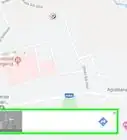
1Go to https://maps.google.com in a web browser. If you’re not already signed in to your Google Account, click Sign In at the top-right corner of the screen to sign in now.
-
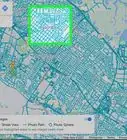
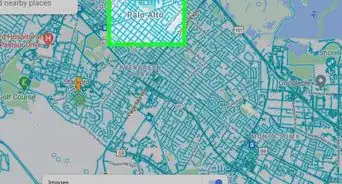
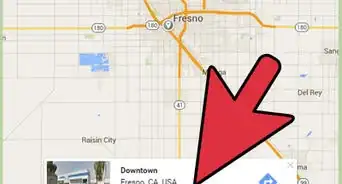
2Navigate to the place you’d like to edit. Drag the map until the place appears in view, then click it to expand its details. You can also search for a location by name or address using the search bar at the top of the screen.Advertisement
-
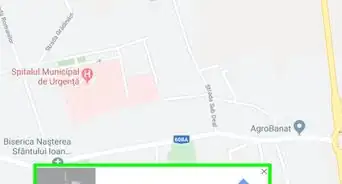
3Click SUGGEST AN EDIT. It’s in the left column.
-
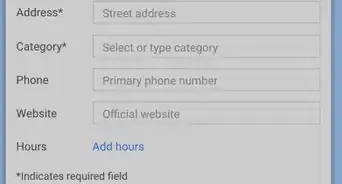
4Make your edit suggestions. You can update the name, address, category, location, contact number, hours, and website. Just click the current entries to make your edits.
- If a business or location no longer exists, click the slider next to “Place is permanently closed or has never existed.”
- If the place’s marker on the map is in the wrong spot, check the box next to “Marker is placed incorrectly on the map.”
-
5Click Submit. Your suggestions will be sent to the owner of the establishment and either accepted or declined.Advertisement


About This Article

Nicole Levine, MFA
Tech Specialist
This article was written by Nicole Levine, MFA. Nicole Levine is a Technology Writer and Editor for wikiHow. She has more than 20 years of experience creating technical documentation and leading support teams at major web hosting and software companies. Nicole also holds an MFA in Creative Writing from Portland State University and teaches composition, fiction-writing, and zine-making at various institutions. This article has been viewed 2,682 times.
How helpful is this?
Co-authors: 1
Updated: May 15, 2018
Views: 2,682
Categories: Google Maps
Article SummaryX
1. Open Google Maps.
2. Select a location.
3. Click SUGGEST AN EDIT.
4. Make your edits.
5. Click Submit.
Did this summary help you?
Advertisement