This article was written by Darlene Antonelli, MA. Darlene Antonelli is a Technology Writer and Editor for wikiHow. Darlene has experience teaching college courses, writing technology-related articles, and working hands-on in the technology field. She earned an MA in Writing from Rowan University in 2012 and wrote her thesis on online communities and the personalities curated in such communities.
This article has been viewed 1,635 times.
Tutu is a 3rd party app that serves as a replacement to the Google Play Store. It offers the same games, but all of them are free. Since Tutu works with mobile devices and is unavailable as a desktop app, there is a workaround to get Tutu for your computer. You’ll need to have BlueStacks, an Android emulator for your computer, installed to get started.
Steps
-
1Go to https://www.bluestacks.com/ in a web browser. BlueStacks is an Android emulator, so you can use your Android apps from your Mac or Windows PC as if you were using an Android device.
-
2Click the green Download BlueStacks button. The browser will automatically detect if you’re using Mac or Windows and will download accordingly. A pop-up box will appear for the download location.
-
3Double-click the file to launch the Installer. You’ll find this file in the Downloads folder of your file browser.
-
4Follow the Installer Wizard. If you’re installing on Mac, the Installer Wizard includes the BlueStack’s application icon that you have to drag again into the Applications folder for the program to install.
- Read all agreements before continuing.
-
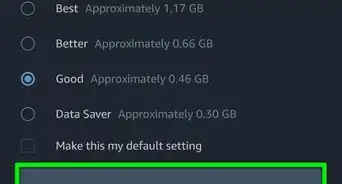
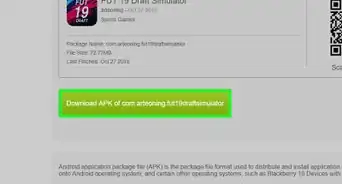
5Download the Android TutuApp APK. You’ll need this to download anything in the Google Play Store for free.
- Click either of the green boxes to start the download.
-
6Open BlueStacks. You can find this in either your Start Menu or Applications folder.
-
7Click the My Apps tab. You’ll see this in the upper left corner of the BlueStacks window.
-
8Click Install APK. You’ll see this in the lower right corner of the BlueStacks window. Your file browser will appear.
-
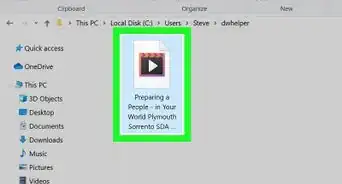
9Navigate to and double-click the APK file. Tutu will start to download to BlueStacks on your computer.
- You may encounter a pop-up window asking to allow downloading from unknown sources. You’ll need to accept this to continue.
- You can find Tutu in the My Apps tab of BlueStacks.




About This Article

1. Download BlueStacks from https://www.bluestacks.com/.
2. Download the Android Tutut APK app from https://tutuapp-vip.com/android/.
3. Open BlueStacks.
4. Click the My Apps tab.
5. Click Install APK.
6. Navigate to and double-click the APK file.