This article was co-authored by wikiHow Staff. Our trained team of editors and researchers validate articles for accuracy and comprehensiveness. wikiHow's Content Management Team carefully monitors the work from our editorial staff to ensure that each article is backed by trusted research and meets our high quality standards.
The wikiHow Tech Team also followed the article's instructions and verified that they work.
This article has been viewed 569,736 times.
Learn more...
This wikiHow teaches you how to download fonts from http://www.dafont.com for Windows or Mac computers.
Steps
-
1Go to http://www.dafont.com in a Web browser on your computer.
-
2Click a font category. The categories are listed in a red rectangle near the top of the window.Advertisement
-
3Scroll down to browse the fonts in the category.
-
4Click Download when you find a font you want. The Download button will be to the right of the font you want to install. If you are prompted to save the file, select a location on your computer and click Save.
- You'll also see that there's a Donate to author button that you can click to show some monetary appreciation to the creator of the font you're downloading.
-
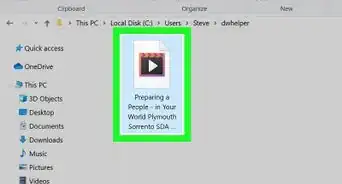
5Locate the font file and extract it. The file will most likely be in the Downloads folder unless you selected otherwise.
- In Windows, double-click the file and click Extract All Files.
- On Mac, double-click the file.
-
6Double-click the extracted folder to open it.
-
7Install the font.
- In Windows, right-click on files with .otf, .ttf or .fon suffixes and click Install....
- On Mac, double-click on files with .otf, .ttf or .fon suffixes and click the Install Font button in the lower-right corner of the dialog box.
Advertisement


Community Q&A
-
QuestionHow do I download all fonts on Dafont at one time?
 Community AnswerYou can't.
 -
QuestionHow do I download dafonts on my phone?
 Community AnswerLook under mobile apps. Not all apps are compatible with android or smart phones.
 -
QuestionHow do I put this into my video editor?
 Community AnswerPut the font into a program such as Word or Notepad and use a snipping tool to paste it into something like MS Paint. Save it and insert the image into the editor.
 -
QuestionHow do I use the fonts in websites and the internet?Community AnswerThese fonts are only compatible with programs installed directly on your computer, such as MS Word, Notepad, or MS PowerPoint. They will not work online, unless the font can be used from an external CSS file.
-
QuestionHow do I use a font in Notepad?Community AnswerAccess the font menu by pressing Alt+F.
-
QuestionHow do I use a Dafont font for Google Drive?Community AnswerYou can't. Dafont only works on programs directly installed to your computer.
-
QuestionIs Dafont compatible with Google Chrome?
 Community AnswerNo. Dafont is only compatible with programs installed directly onto your computer so you will not be able to use it online.
 -
QuestionWhat do I have to do to get the font on Google Docs after I install it?Community AnswerYou can't access it on Docs. You need to be able to access it in a program already installed in your device.
-
QuestionWhat do I do if I click the download button on Dafont but nothing happens?Community AnswerIf you use a Mac, just double click it again. If you use Windows, also double click it. It should work.
-
QuestionWhat do I do if I don't receive a zip file when I download a font? I get letters and symbols.Community AnswerThen, if you can copy it, paste it in Notepad or Word, and save it there. If you weren't able to download the font, double click the button or refresh.


About This Article

1. Go to http://www.dafont.com.
2. Click a font category.
3. Scroll down to browse the fonts.
4. Click Download.
5. Locate the font file and extract it.
6. Double-click the extracted folder.
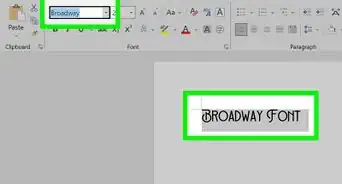
7. Install the font.