X
This article was written by Darlene Antonelli, MA. Darlene Antonelli is a Technology Writer and Editor for wikiHow. Darlene has experience teaching college courses, writing technology-related articles, and working hands-on in the technology field. She earned an MA in Writing from Rowan University in 2012 and wrote her thesis on online communities and the personalities curated in such communities.
This article has been viewed 2,021 times.
This wikiHow will teach you how to download Pandora on your mobile phone, tablet, or computer.
Steps
Method 1
Method 1 of 3:Downloading the Mobile App
Method 1
-
1
-
2Search "Pandora." You'll find the search bar in the Google Play Store at the top of the screen, while the search tab is located along the bottom of your screen in the App Store.
-
3Tap Get or Install. Pandora is a free app offered by Pandora that you'll need to sign in if you want to use the app with your account.


Method 2
Method 2 of 3:Using Windows
Method 2
-
1Go to https://www.microsoft.com/en-us/p/pandora/9wzdncrfj46v?activetab=pivot:overviewtab. You can use any web browser if you're using a Windows computer or laptop.
- You can also search the Microsoft Store app for Pandora.
-
2Click Get. The app is a free download, so you shouldn't have to provide payment information.
- Sign in with your Microsoft account if prompted.
- Click to select a computer you want to install Pandora on, if you're prompted.
-
3Click Install if the application didn't automatically install. While you've selected that you want to download the application, you have to tell the Microsoft Store that you want to install it as well.
- Sometimes, the application is automatically installed after you click Get. [1]


Method 3
Method 3 of 3:Using Mac
Method 3
-
1Go to https://www.pandora.com/desktop. You can use any web browser on a Mac to install this desktop publication.
-
2Click Download for Mac. A window will pop up and you will need to choose a save location for the application file.
-
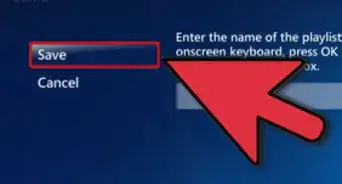
3Click Save. You'll see this in the lower right corner of the pop-up window.
-
4Double-click the downloaded file. Most browsers, like Safari and Chrome, will give you a notification when a file is done downloading. Click the notification or progress bar to launch the DMG file.
-
5Drag and drop the Pandora icon to your Applications folder. You'll need to do this if you want to use Pandora normally.
- Once you drag-and-drop, you'll have installed Pandora and can use it whenever you want.








References
About This Article

Darlene Antonelli, MA
Tech Specialist
This article was written by Darlene Antonelli, MA. Darlene Antonelli is a Technology Writer and Editor for wikiHow. Darlene has experience teaching college courses, writing technology-related articles, and working hands-on in the technology field. She earned an MA in Writing from Rowan University in 2012 and wrote her thesis on online communities and the personalities curated in such communities. This article has been viewed 2,021 times.
How helpful is this?
Co-authors: 2
Updated: September 16, 2021
Views: 2,021
Categories: Streaming Music Services
Article SummaryX
1. Open the Google Play Store (Android) or App Store (iOS).
2. Search "Pandora."
3. Tap Get or Install.
Did this summary help you?