X
wikiHow is a “wiki,” similar to Wikipedia, which means that many of our articles are co-written by multiple authors. To create this article, 18 people, some anonymous, worked to edit and improve it over time.
This article has been viewed 80,404 times.
Learn more...
Have you ever noticed just how expensive it can be to purchase music with a specified BPM (Beats per Minute) to exercise to? If you have an MP3 player, you can easily organize your music by its tempo for easy use as exercise music.
Steps
-
1Explore your MP3 player's help menu to find how to enter the BPM value. This will usually be a number between 60 and 180. In iTunes, you'll find it under "Get Info" for a song. Other MP3 software will likely vary.
-
2Find the BPM of your favorite songs.
-
3Enter the BPM data into your MP3 software.
-
4View your MP3 library of music.
-
5Sort the music by tempo. In an iTunes Music Library, this is easily done by double clicking on the column header for BPM.
-
6Separate the music into tempos in ranges of 10 BPM. For example, 120-130 BPM, 131-140 BPM, 141-150 BPM, etc. This will keep your exercise tempo even and avoid sudden speeding up or slowing down as you exercise.
-
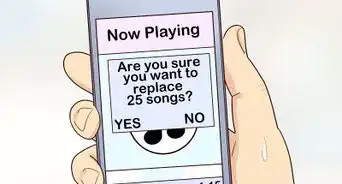
7Save each tempo grouping into its own play list.
-
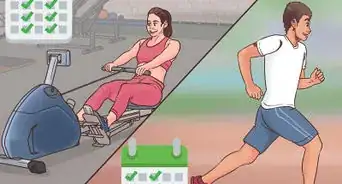
8Load the new exercise playlists onto your MP3 player and head out for your exercise, knowing that you'll be able to keep a steady rhythm as you jog, walk, cycle, etc.


Community Q&A
-
QuestionHow can I get music on my phone?
 Community AnswerA good way to get music onto your phone without using your credit card is to buy a voucher. For iPhone it is an iTunes voucher. For Android it is a Google Play voucher.
 -
QuestionHow do I put my cd in the I pad so I can listen to it?
 Community AnswerInsert it and download it to your PC. Then plug in your iPad to the computer and import it.
 -
QuestionHow can I string the songs together in my exercise playlist so that there are no gaps or silence between songs?Community AnswerCheck your Spotify settings; there's an option to blend the end of one song into the start of the next.
Things You'll Need
- MP3 player and the software for it on your computer.
-of-a-Song-Step-9.webp)



-of-a-Song-Step-9.webp)