X
wikiHow is a “wiki,” similar to Wikipedia, which means that many of our articles are co-written by multiple authors. To create this article, volunteer authors worked to edit and improve it over time.
Learn more...
In this instruction set, you will learn how to determine if you are eligible to use and download Microsoft Office for free as an instructor or student.
Steps
-
1Make sure you have a stable internet connection.
-
2Determine if you are eligible for Microsoft Office by heading to www.office.com/getoffice365.Advertisement
-
3Enter your school email in the suggested box and press "get started".
-
4Select "I am a student", or "I am a teacher".
-
5Check the next screen. If you are eligible, you will be asked to sign in to obtain your free Office 365.
-
6Log into your account. You will be able to use Office 365 from your university page or download it to your computer.
-
7Click "Install Office" if you want to install the program.
-
8Choose "Office 365 apps".
-
9Run the OfficeSetup.exe.
-
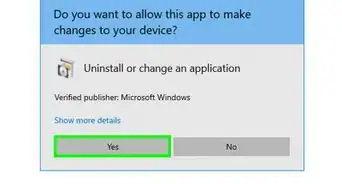
10Allow the program to make changes to your computer.
-
11Login with your school email when prompted.
-
12Use your full access to Microsoft Office as you like.Advertisement






About This Article
Advertisement