This article was co-authored by wikiHow Staff. Our trained team of editors and researchers validate articles for accuracy and comprehensiveness. wikiHow's Content Management Team carefully monitors the work from our editorial staff to ensure that each article is backed by trusted research and meets our high quality standards.
The wikiHow Tech Team also followed the article's instructions and verified that they work.
This article has been viewed 2,447 times.
Learn more...
This wikiHow teaches you how to download a YouTube video to your computer's local storage. You can use an online, third-party downloader website like Youtubnow.com.
Steps
-
1Open the YouTube video you want to download. You can open YouTube in your internet browser, or use a mobile app on your phone or tablet.
-
2Select the URL link in the address bar. You can double-click your browser's address bar at the top to select the video's link.Advertisement
-
3Right-click on the URL link. This will expand your right-click options on a drop-down menu.
-
4Select Copy on the menu. This will copy the selected link to your clipboard.
-
5Open Youtubnow.com on a new page. Type www.youtubnow.com into the address bar, and press ↵ Enter or ⏎ Return on your keyboard.
- This is a third-party website for downloading YouTube videos. If you don't like Youtubnow, you can try another downloader website.
-
6Paste the copied video link into the URL field on Youtubnow. Right-click the URL field on the Youtubnow page, and select Paste. This will paste your link here, and find your video.
-
7Select the file format you want to download. Click the drop-down file type menu next to the video thumbnail, and select a file format and resolution to download.
-
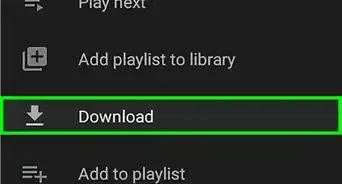
8Click the red Download button. This will start downloading the selected YouTube video to your computer.Advertisement










About This Article

1. Open the YouTube video.
2. Select and copy the video link.
3. Open www.youtubnow.com.
4. Paste the video link to Youtubenow.
5. Select a file format.
6. Click Download.