X
wikiHow is a “wiki,” similar to Wikipedia, which means that many of our articles are co-written by multiple authors. To create this article, volunteer authors worked to edit and improve it over time.
This article has been viewed 3,898 times.
Learn more...
Disliking a YouTube video is a way to communicate your opinion about a specific YouTube video. If the majority of viewers on a specific YouTube video don't like a video, then the content creator will know what types of videos viewers like and dislike. This wikiHow article will show you how to dislike a YouTube video.
Steps
-
1Go to YouTube. Visit youtube.com in your web browser and sign in with your account.
-
2Sign in with your account. Click "Sign in" at the top-right and use your Google account.
- If you don't have a YouTube account, read How to Make a YouTube Account.
Advertisement -
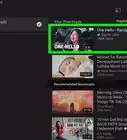
3Go to a YouTube video.
-
4Dislike the video by clicking the thumbs down button. Click the thumbs down button right under the YouTube video.
- If you want to undo your action, simply click the thumbs down button again.
Advertisement


About This Article
Advertisement