X
wikiHow is a “wiki,” similar to Wikipedia, which means that many of our articles are co-written by multiple authors. To create this article, volunteer authors worked to edit and improve it over time.
This article has been viewed 38,829 times.
Learn more...
There are so many times when you have to deliver PowerPoint presentations - be it in a corporate setting, as part of a school project or to your business clients. Here are some tips for delivering effective PowerPoint presentations that can help you seize the day!
Steps
-
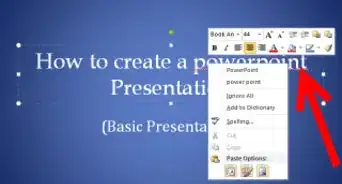
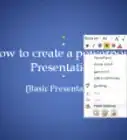
1Use large fonts throughout your presentation. It is OK even if you include only two three major points on each slide - but make sure the points are clearly visible to your audience. On the right you can see an example of a slide with large fonts.
-
2Try to add as many pictures and animations to your slides as possible. You can even add pictures when they are not very much required! This is because pictures and animations make the slides interesting - and they make your audience want to look at the slides. If you were being shown a PowerPoint presentation, wouldn't you get bored if there was only text everywhere? The same is the case with your audience. You can gain access to loads of free pictures by clicking on the "ClipArt" option under the Insert tab in PowerPoint. You can animate text and pictures using the "Custom Animation" option under the Animations tab in PowerPoint.
-
3Draw charts, tables and blocks whenever you need to explain a concept in detail. This way, you will able to make your presentations more interesting as people don't like reading through lots of text to grasp a concept. You can insert special charts using the "Smart Art" option under the Insert tab in PowerPoint. You can similarly use the "Table" option under the Insert tab to insert a table.
-
4When you deliver your PowerPoint presentation, make sure you talk to the audience with the intention to explain your topic to them - not just to read what is written in the slides and finish off with the presentation. Use the points on the slides as markers that tell you which direction you should proceed in but don't only read out those points. Let the points give you ideas which you can explain in detail as you talk to the audience. Talk to the audience as if you were talking to a friend - with the intention to make them understand what you are saying.
-
5A wonderful way to make your presentation interesting is to involve the audience in your presentation. As you talk, ask your audience some questions. For example, if you are talking about designing a website, ask your audience - "Which website do you visit the most? What do you like about this site?" The audience will then feel more involved and interested and you will be able to get your point across in an even better way.


Community Q&A
-
QuestionWhat if the people I’m presenting to aren’t paying attention?
 Tom De BackerTop AnswererThere's a whole range of things you can do here. You can even take classes, get degrees in this stuff. It's called people management, group management, etc. One thing is to break the flow, snap people out of it. "OK, after this slide we're taking a break" or "OK, three more slides and this is over" or "Mike, can you tell me about the previous slide?" (Of course, if Mike is your boss, don't do that last one.)
 -
QuestionHow do you explain to your audience what the powerpoint is about? Simply put, how do you present your presentation?Tom De BackerTop AnswererChoose good titles. Don't go with "Tom's Presentation For Today", but make the title tell the audience everything they need to know: "Field Trip Preparation Class 6B". If you choose a good title, there's no need to present your presentation.
Warnings
- Don't forget to make use of the amazing animation options present in PowerPoint. Most presenters don't explore the Animations tab in PowerPoint enough. You can explore this tab and make text and pictures appear, disappear and move around in your presentation at will.Thanks!