X
This article was written by Nicole Levine, MFA. Nicole Levine is a Technology Writer and Editor for wikiHow. She has more than 20 years of experience creating technical documentation and leading support teams at major web hosting and software companies. Nicole also holds an MFA in Creative Writing from Portland State University and teaches composition, fiction-writing, and zine-making at various institutions.
This article has been viewed 2,027 times.
This wikiHow teaches you how to delete an email from the Mac and Windows Mail apps, as well as web-based apps like Gmail and Outlook Online.
Steps
Method 1
Method 1 of 4:Windows Mail
Method 1


Method 2
Method 2 of 4:Mac Mail
Method 2
-
1Open the Mail app on your Mac. It’s the postage stamp icon in the Dock or the Launchpad.
-
2Click Inbox.
-
3Click the message you want to delete.
-
4Click the Edit menu. It’s in the menu bar at the top of the screen.
-
5Click Delete. The message is now deleted.
- You can also delete the message by clicking the trashcan icon.


Method 3
Method 3 of 4:Gmail
Method 3
-
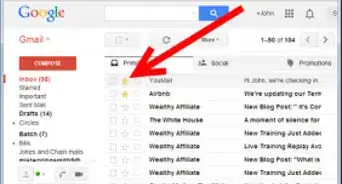
1Open https://mail.google.com in a web browser. If you’re not already signed in to your account, sign in now.
-
2Select the message you want to delete. To select the message, click the empty box to the left of its subject.
-
3Click the trash icon. It’s above the message list. The message is now deleted.


Method 4
Method 4 of 4:Outlook.com
Method 4
-
1Open https://www.outlook.com in a web browser. If you’re not already signed in to your account, sign in now.
-
2Click Inbox. It’s in the left column.
-
3Click the message you want to delete. This opens the message.
-
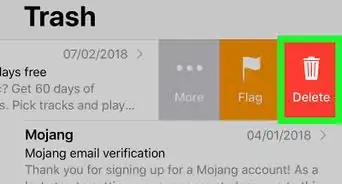
4Click Delete. It’s above the message list and also displays a trashcan icon. This deletes the message.




About This Article

Nicole Levine, MFA
Tech Specialist
This article was written by Nicole Levine, MFA. Nicole Levine is a Technology Writer and Editor for wikiHow. She has more than 20 years of experience creating technical documentation and leading support teams at major web hosting and software companies. Nicole also holds an MFA in Creative Writing from Portland State University and teaches composition, fiction-writing, and zine-making at various institutions. This article has been viewed 2,027 times.
How helpful is this?
Co-authors: 2
Updated: August 26, 2018
Views: 2,027
Categories: Organizing Your Email