X
wikiHow is a “wiki,” similar to Wikipedia, which means that many of our articles are co-written by multiple authors. To create this article, volunteer authors worked to edit and improve it over time.
This article has been viewed 27,416 times.
Learn more...
Boot Camp is the software that was created to enable Windows to run on your Mac. You may have needed Windows in the past, for work or school, but as technology progresses, it is becoming more and more likely that you can just do everything on the Mac side, rendering Boot Camp obsolete. Deleting the Boot Camp software can free up valuable space on your hard drive, helping your computer run better and faster.
Steps
-
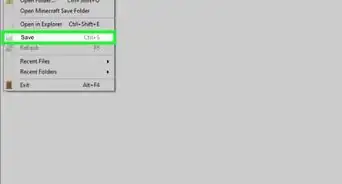
1Back up your machine. Before performing any major software change on your Mac, it is prudent to back up everything in case something goes wrong. In this case, the backup procedure will be even more extensive: Save the Windows data you wish to keep manually. (The Windows partition is not backed up automatically by Time Machine.)
-
2Log out of all other users. Make sure you are logged in with only your administrator account.Advertisement
-
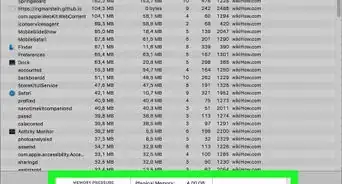
3Quit all open apps. If the light is on next to or below an icon in your dock, that means it is still running. Quit everything except for the Finder. If it refuses to respond, you might have to wait a while; if not, you can force quit it.
-
4Launch Boot Camp Assistant.
-
5Click Continue.
-
6Click on "Remove Windows". The mentioned Windows version can differ depending on Windows version you installed. Click Continue.
-
7Select Restore. You may have to select a disk if your Mac has more than one. Choose the one containing Windows.
-
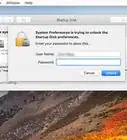
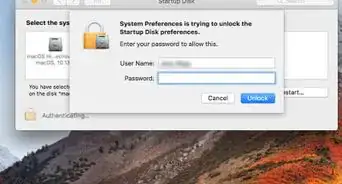
8Type an Administrator's name and password in the pop up window, then click OK.
-
9Wait for it to finish updating the software configuration.
-
10Success!Advertisement


Community Q&A
-
QuestionWhat is the chance of losing everything when removing it?
 Community AnswerThere is always a chance of erasing your data, so you should do a complete backup of your computer before you delete the boot camp partition.
Warnings
- Any files that were saved onto the Windows side will be deleted permanently, and the Windows part does not back up to Time Machine. Be sure to save all files before deleting Boot Camp.Thanks!
- Do not close Boot Camp while it re-partitions your Mac. There is a chance that the partitions can get corrupted if you do so.Thanks!
Advertisement
About This Article
Advertisement