This article was co-authored by Yaffet Meshesha. Yaffet Meshesha is a Computer Specialist and the Founder of Techy, a full-service computer pickup, repair, and delivery service. With over eight years of experience, Yaffet specializes in computer repairs and technical support. Techy has been featured on TechCrunch and Time.
This article has been viewed 252,528 times.
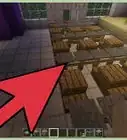
Files that end with the .dat extension are data files created by applications on your computer. DAT files can contain any type of content, such as plain text, game data, or user-level data. If the contents of the DAT file are plain text, you can open and edit it in a text editor like Notepad or TextEdit. If the DAT file contains special characters, such as those associated with Minecraft, you'll need to use a special editor. This wikiHow teaches you how to use a text editor or NBTExplorer to modify the contents of a DAT file.
Steps
Method 1
Method 1 of 2:Using a Text Editor
-
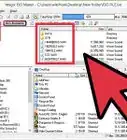
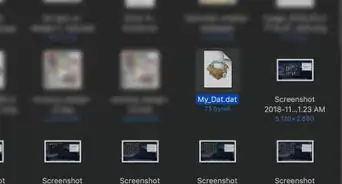
1Right-click your DAT file and select Open with. If your mouse doesn't have a right mouse button, hold down the Ctrl key as you click.
-
2Select Notepad (Windows) or TextEdit (Mac). This opens the file for editing in your text editor.Advertisement
-
3Review and edit the file. If the file contains plain text, you'll usually be able to tell which application was used to make it. Sometimes, even if it's filled with unreadable characters, a DAT file will include some text that provides clues as to what type of file it is.[1] [2]
- If you see an application name in the DAT file, you may be able to use that application to open the file. Close Notepad or TextEdit without making changes, then right-click the DAT file again, select Open With, and choose the application.[3]
- If you see something about "video" in DAT file, you may be able to open the DAT with a video player like VLC Media Player.
- If you use NotePad or TextEdit to edit a DAT file with unreadable characters and then save it, it will break the DAT file, making it unusable even if you opened it in the correct program.
-
4Save your changes. If you edit the DAT file in your text editor, you can save your changes by clicking the File menu and selecting Save.Advertisement


Method 2
Method 2 of 2:Using NBTExplorer
-
1Install NBTExplorer. NBTExplorer is a free app that lets you edit the contents of some DAT files that can't be edited with text editors. This includes Minecraft files that end with the .dat file extension, such as level.dat, servers.dat, and (playername).dat.[4]
- Windows: Go to https://github.com/jaquadro/NBTExplorer/releases/tag/v2.8.0-win, click NBTExplorer-2.8.0.msi, and then click Save (if prompted). Then, double-click the downloaded file and follow the on-screen instructions to install.
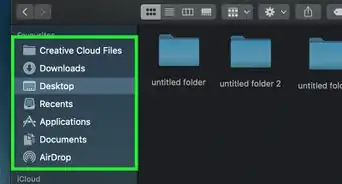
- macOS: Go to http://hocuspocus.taloncrossing.com/rii/NBTExplorer-Mac-2.0.3.zip to download the file. Then, double-click the downloaded file to unzip it, double-click NBTExplorer.app, and then follow the on-screen instructions to install.
-
2Close the application associated with your DAT file. If you know which application on your computer uses this DAT file, you'll need to close the app before you can edit the DAT file. For example, if you want to edit a Minecraft DAT file, close Minecraft now.
- Open NBTEditor. It's in the Start menu on your PC, or in the Applications folder on a Mac.
-
3Click the File menu and select Open. The File menu is at the top-left corner of NBTExplorer on a PC, and in the menu bar at the top of the screen on a Mac.
-
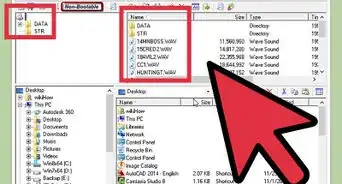
4Select the DAT file and click Open. This opens the DAT file for editing.
- Check out this site to find the locations of Minecraft DAT files, as well as useful edits you can make to those files: https://minecraft.gamepedia.com/Java_Edition_level_format
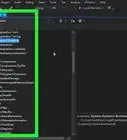
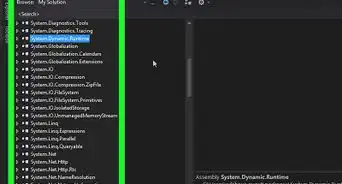
- If the file can be viewed and managed in NBTEditor, you should see a list of folders and/or values.
-
5Edit values as needed. First, you can't use NBTEditor to edit the file like you would a text file. Instead, you can select values and change the numbers or text associated with them to create different outcomes in the application that uses the file. To edit a value, double-click it, replace the number with the one you want to insert, and then click OK.
-
6Click the File menu and select Save to save your changes. This saves your changes to the DAT file. The next time you open the application that uses that file, it will reflect your changes.Advertisement


Community Q&A
-
QuestionWhat programs open a DAT file?
 Yaffet MesheshaYaffet Meshesha is a Computer Specialist and the Founder of Techy, a full-service computer pickup, repair, and delivery service. With over eight years of experience, Yaffet specializes in computer repairs and technical support. Techy has been featured on TechCrunch and Time.
Computer SpecialistDAT files are just text, so any program that can edit text should be able to open it in most cases. If you don't have a program that does this, Notepad++ is a pretty good free option. -
QuestionWhat are DAT files?Yaffet MesheshaYaffet Meshesha is a Computer Specialist and the Founder of Techy, a full-service computer pickup, repair, and delivery service. With over eight years of experience, Yaffet specializes in computer repairs and technical support. Techy has been featured on TechCrunch and Time.
Computer SpecialistDAT is just shorthand for "data file." They're just files that contain information pertinent for files.
References
- ↑ http://www.online-tech-tips.com/computer-tips/how-to-open-dat-files/
- ↑ Yaffet Meshesha. Computer Specialist. Expert Interview. 10 February 2021.
- ↑ Yaffet Meshesha. Computer Specialist. Expert Interview. 10 February 2021.
- ↑ https://minecraft.gamepedia.com/Java_Edition_level_format
About This Article

1. Right-click the DAT file and select Open With.
2. Select Notepad or TextEdit.
3. Make changes to the file.
4. Click the File menu and select Save.