X
wikiHow is a “wiki,” similar to Wikipedia, which means that many of our articles are co-written by multiple authors. To create this article, volunteer authors worked to edit and improve it over time.
Learn more...
Amazon Prime Video is one of the largest video streaming platforms in the world. But sometimes when you search for something to watch, you don't want that to show up in your history. You can easily remove your search history in the Prime Video app. In this wikiHow, you will learn how to clear your search history on the Prime Video app.
Steps
-
1Launch the “Prime Video” app on your device. It's the blue icon labeled “Prime Video” in the app drawer. Log in to your Instagram account, if you haven't already done so.
-
2Tap on the “My Stuff” option. You will find this option at the right bottom corner of the app alongside your profile icon.
-
3
-
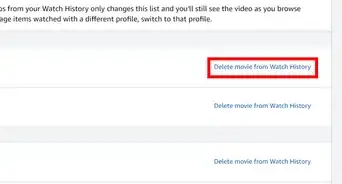
4Tap on the “Clear video search history” option. When you tap on this option, you will see the “Search history cleared” message on your screen. That's it!