X
This article was written by Nicole Levine, MFA. Nicole Levine is a Technology Writer and Editor for wikiHow. She has more than 20 years of experience creating technical documentation and leading support teams at major web hosting and software companies. Nicole also holds an MFA in Creative Writing from Portland State University and teaches composition, fiction-writing, and zine-making at various institutions.
This article has been viewed 7,799 times.
This wikiHow teaches you how to remove old posts you’ve made on Facebook. You can either delete them individually through the Activity Log or change the privacy setting of all public/friends-of-friends posts to "Friends Only."
Steps
Method 1
Method 1 of 2:Using the Activity Log
Method 1
-
1Open https://www.facebook.com in a web browser. If doing so brings you to the Log In screen, type your username and password into the blanks and click Log In.
- Though there’s no way to delete all of your old posts at once, the Activity Log will save you time by presenting all of your old posts in an easy-to-delete format.
-
2Click the upside-down triangle. It’s located in the top-right corner.
-
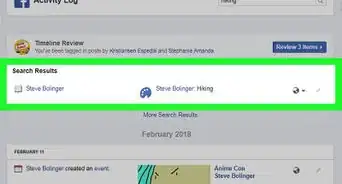
3Click Activity Log. This page shows everything you’ve done on Facebook.
-
4Click Your Posts. It’s in the left column under “Filters.”
-
5Click the pencil icon next to a post you want to delete.
-
6Click Delete. Repeat this process to delete each post you no longer want on your timeline.


Method 2
Method 2 of 2:Limiting Past Posts
Method 2
-
1Open https://www.facebook.com in a web browser. If doing so brings you to the Log In screen, type your username and password into the blanks and click Log In.
- Use this method if you want to change the privacy level of all of your old posts to "Friends Only." This will not actually delete any posts.
-
2Click the upside-down triangle. It’s located in the top-right corner.
-
3Click Settings.
-
4Click Privacy. It’s near the top-left corner of the screen.
-
5Click Limit Past Posts. It’s in the “Who can see my stuff?” section, next to “Limit the audience for posts you’ve shared with friends of friends or Public?”
-
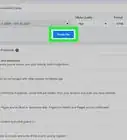
6Click Limit Old Posts. This will change the privacy of all of your posts to "Friends Only." Though posts won’t be deleted, they’ll no longer be accessible to people you don’t know.
-
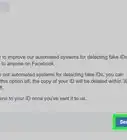
7Click Confirm. Now only people you’re friends with can see your posts.






About This Article

Nicole Levine, MFA
Tech Specialist
This article was written by Nicole Levine, MFA. Nicole Levine is a Technology Writer and Editor for wikiHow. She has more than 20 years of experience creating technical documentation and leading support teams at major web hosting and software companies. Nicole also holds an MFA in Creative Writing from Portland State University and teaches composition, fiction-writing, and zine-making at various institutions. This article has been viewed 7,799 times.
How helpful is this?
Co-authors: 2
Updated: May 15, 2017
Views: 7,799
Categories: Facebook