X
wikiHow is a “wiki,” similar to Wikipedia, which means that many of our articles are co-written by multiple authors. To create this article, volunteer authors worked to edit and improve it over time.
This article has been viewed 56,916 times.
Learn more...
Flickr is a very popular photography hosting site with a photo upload rate of about 7,000 photos a minute.[1] It has a lot of user-created groups that allow people who have similar interests to get together and share their photos reflecting these interests, such as food, animals, certain photo techniques, or creative commons, etc.
This article will show you how to create and administer your own Flickr photo group for everyone.
Steps
-
1Go to Flickr.com. If you are logged in, it will take you to your 'Home' page. If not, sign in.
- Click on "Group".
-
2From Groups, scroll down to Create a New Group.
-
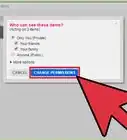
3Choose the type of group setting (private, public (invitation only), or public). This article shows you how to create a public group.
-
4Name your group and select the Group Safety Level (whether it is age-restricted (18+) or not). Try to use a group name that would make sense to people searching for your interest or for the types of photos you'll be grouping in it. Press Next.
-
5Click on "Groups" above to see your groups. Your new group should now appear. Go to your group's Administration page (click on the tab Administration located under your group's name) and make any needed administrative type decisions.
-
6Control the viewing level of those visiting the group. Under Privacy you can select what you want to display to non-members.
-
7Select what you want the different levels of members to be called (under Membership).
-
8Start making your group interesting. Click on Add Something? located on the group home page. This will take you to your photostream and you can start selecting photos from there for the group. Up to six photos can be added at a time and you can use the Search box to find relevant tags on your photos. Look at the drop-down box under the words Your Photostream; it will show you that photos can be retrieved from:
- All your items
- Your sets
- Photos uploaded on a certain date
- Your groups
- Geotagged or non- geotagged items.


Community Q&A
-
QuestionHow do I rename a group on Flickr?
 FreyrTop AnswererOn Flickr, to rename a group, you must be an administrator. If you aren't one, then you can reach out to an admin to request a rename.
 -
QuestionHow do you invite members to a private group?FreyrTop AnswererGo on to the Flickr group on your browser, then copy the link from the address bar. You can send this link through via email, text, or social media to the people you want to invite.
Warnings
- Be aware that if you choose a private group that Flickr does not permit it to become public later.[2]Thanks!
Things You'll Need
- Flickr account (via Yahoo!)
- A healthy set of your own photos