This article was written by Travis Boylls. Travis Boylls is a Technology Writer and Editor for wikiHow. Travis has experience writing technology-related articles, providing software customer service, and in graphic design. He specializes in Windows, macOS, Android, iOS, and Linux platforms. He studied graphic design at Pikes Peak Community College.
The wikiHow Tech Team also followed the article's instructions and verified that they work.
This article has been viewed 927,365 times.
The new Supercell ID system allows for players to easily play with multiple accounts on the same device. By using different E-mail addresses for each account, you are able to manage multiple bases at once. If you haven't created a Supercell ID account already, follow the steps in the "Create a Supercell ID" section before continuing.
Steps
Part 1
Part 1 of 4:Disconnecting Your Current Game
-
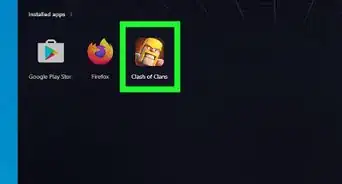
1Open Clash of Clans if you haven't already. It has an icon with the image of a guy wearing a yellow helmet. Tap the icon on your home screen or apps drawer to launch Clash of Clans.
-
2Tap the settings icon. It's the icon that resembles three gears in the lower-right corner. You'll find it right above the shop.
-
3Tap the Connected button to the right of "Supercell ID."
-
4Tap the settings button in the Supercell ID screen.
-
5Tap Log Out in the settings menu and tap Confirm. You will be taken to the title screen.


Part 2
Part 2 of 4:Starting a New Game
-
1Open Clash of Clans if you haven't already. It has an icon with the image of a guy wearing a yellow helmet. Tap the icon on your home screen or apps drawer to launch Clash of Clans.
-
2On the title screen, tap the faded "Play without Supercell ID" button. It may appear to be unselectable, but the option is actually available when presented.
-
3You will be presented with the Clash of Clans tutorial. Follow the steps in the Create a Supercell ID section to create another Supercell ID account.


Part 3
Part 3 of 4:Create a Supercell ID
-
1Open Clash of Clans if you haven't already. It has an icon with the image of a guy wearing a yellow helmet. Tap the icon on your home screen or apps drawer to launch Clash of Clans.
-
2Tap the settings icon. It's the icon that resembles three gears. You'll find it right above the shop, or in the top left corner during the tutorial.
-
3Tap the Disconnected button next to "Supercell ID."
-
4Tap the blue Register Now link, then tap Continue on the next screen.
-
5Type in your Email address in both boxes presented and click Register.
-
6A message will be sent to your Email address, type in the code presented in the message in the code box and press Submit.
-
7Click the Okay option to exit the creation process.


Part 4
Part 4 of 4:Selecting an Account
-
1Open Clash of Clans if you haven't already. It has an icon with the image of a guy wearing a yellow helmet. Tap the icon on your home screen or apps drawer to launch Clash of Clans.
-
2Tap the settings icon. It's the icon that resembles three gears. You'll find it right above the shop, or in the top left corner during the tutorial.
-
3Tap the blue button next to "Connected" which looks like two arrows curving into each other.
-
4If the title screen is shown, tap the "Log in with Supercell ID" button.
-
5A list of linked accounts will appear, tap the correct account you want to switch into.


Community Q&A
-
QuestionIs it possible to have one account in two villages in Clash of Clans?
 Community AnswerNo.
 -
QuestionHow can I transfer a game to a different device?
 Community AnswerJust use the first account, and if you want to change, then disconnect from Google Play and sign in from the other. Type CONFIRM, then do the same to change it back to the first.
 -
QuestionHow do you create an account on Clash of Clans?
 Community AnswerIf you want to create your first account ever on Clash of Clans, just download it and the tutorial will appear, guiding your through setting up the account. If it's a second account, this article explains exactly what to do.
 -
QuestionHow do you have two accounts on an iPhone?Community AnswerYou need to have two separate Apple IDs to enable you to have 2 game center accounts.
-
QuestionHow do I load the village and start with another one?
 Community AnswerIt depends on if your phone allows you to log in under two Gmail accounts. If it does, simply log in to a separate Gmail, delete your Clash of Clans cache files under System>Applications>Clash of Clans and you should be good to go. Otherwise, if you have a computer you can also get an Android emulator and do similarly. Your Clash of Clans saves are connected to your Gmail or the account that you logged into Google Play with.
 -
QuestionWhat should I do if Clash of Clans isn't starting with the account that I want?Community AnswerYou can always change accounts by logging in with Gmail. If you want to have two accounts, make two Gmail accounts.
-
QuestionHow long is my original account banned for if I made a new account on the same device?Community AnswerThe first ban is 14 days, then one month, then it's permanent. But you don't get banned for owning multiple accounts.
-
QuestionI can't download Clash of Clans. Why might this be?Community AnswerUpdate you Devices Software and then it should be able to download.
-
QuestionWhat should I do if I'm not getting my old account back?Community AnswerIf so, this means that they have banned the account. Supercell has banned two accounts on one device, so if you cannot access your old account, it is probably banned.
-
QuestionI cannot switch my account on data, but I can switch it when connected to Wi-Fi. Why can't I switch when connected to data?Community AnswerThis seems to be an issue with your carrier service. Try contacting them. Also, test this problem out on a different device.
Warnings
- Be sure to create a Supercell ID for your main profile using the steps in the "Creating a Supercell ID" section before following past the "Disconnecting Your Current Game" section or you may lose your game progress.Thanks!


About This Article

1. Open Clash of Clans.
2. Tap the icon that resembles three gears to open the Settings menu.
3. Tap Connected under "Google Play Sign-In".
4. Close Clash of Clans and open the Settings app.
5. Tap Apps in the Settings app.
6. Tap Clash of Clans in the list of apps.
7. Force Shutdown Clash of Clans, if needed.
8. Tap Storage below the app info.
9. Tap Clear data and then tap Ok to confirm.
10. Open Clash of Clans, again.
11. Tap the Google account you want to use as your new account.
12. Play through the tutorial.
13. Tap the icon with three gears to open the Settings menu.
14. Tap Connected under "Google Play Sign-In".
15. Tap disconnected under "Google Play Sign-In".
16. Tap the account associated with an account you want to load.
17. Tap Load to load the game.