wikiHow is a “wiki,” similar to Wikipedia, which means that many of our articles are co-written by multiple authors. To create this article, 12 people, some anonymous, worked to edit and improve it over time.
This article has been viewed 29,192 times.
Learn more...
HTML stands for hyper text markup language which is generally used to create web pages. While creating web pages formation of frames is also a vital part to know. Basically, a framed document divides a browser window into multiple panes or smaller window frames. Each frame can contain a different document. The benefit of making frames are user can view information in one frame while keeping another frame open for reference instead of moving back and forth between pages. The contents of one frame can be manipulated or linked to the contents of other. This enables the web page designer to build sophisticated interfaces.
Steps
-
1Know what it is. The floating frame is used to create an inline framed region or window that acts similarly to any other embedded object insofar as text can be flowed around it.
-
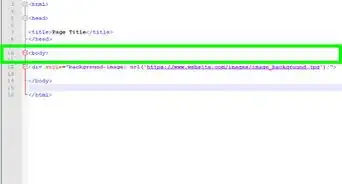
2Define it. With in the<body> of an HTML element an inline frame is defined by the iframe element.
-
3To create an<iframe> tag the major attributes required is src,height and width.
-
4The Src is set to the URL of the file to load while the height and width are set either to the pixel or percentage value of the screen that the floating frame region should consume.
-
5Floating frames also supports the align attribute for basic positioning within the flow of the text like the tag.
-
6The <iframe> element also supports the marginheight and marginwidth attributes to control the margins on framed content.


Community Q&A
-
QuestionCan I place the frame in a position of my choice?
 Community AnswerYes, as long as it doesn't lag.