This article was co-authored by Nicole Levine, MFA. Nicole Levine is a Technology Writer and Editor for wikiHow. She has more than 20 years of experience creating technical documentation and leading support teams at major web hosting and software companies. Nicole also holds an MFA in Creative Writing from Portland State University and teaches composition, fiction-writing, and zine-making at various institutions.
This article has been viewed 1,422 times.
This wikiHow teaches you one way to use Java to find out whether a string of characters is in alphabetical order. As with all coding projects, there's more than one way to determine whether the string is in order. This is a basic example that works by creating a character array and comparing it to the string.
Steps
-
1Import java.util.Arrays. java.util.Arrays contains methods you'll need for searching and sorting arrays.[1]
import java.util.Arrays;
-
2Create a function to check the string's order. This function will find the length of the string, create a character array the length of the string, assign the string to the character array, and then sort that array.[2]
import java.util.Arrays;
public class wikiHow {
        static boolean isAlphabeticOrder(String s)
    {
        // find the length of the string
        int n = s.length();

        // create a character array the same length as the string
        char c[] = new char [n];

        // assign the string to new character array
        for (int i = 0; i < n; i++) {
            c[i] = s.charAt(i);
        }

       // sort character array
        Arrays.sort(c);
Advertisement -
3Find whether the character array is equal to the string.
import java.util.Arrays;
public class wikiHow {
        static boolean isAlphabeticOrder(String s)
    {
        // find the length of the string
        int n = s.length();

        // create a character array the same length as the string
        char c[] = new char [n];

       // assign the string to character array
        for (int i = 0; i < n; i++) {
            c[i] = s.charAt(i);
        }

          // sort character array
        Arrays.sort(c);

        // check if character array and string are equal
        for (int i = 0; i < n; i++)
            if (c[i] != s.charAt(i))
                return false;

        return true;
    }
-
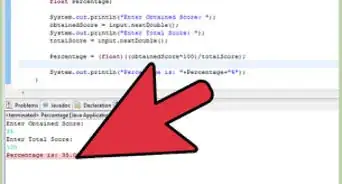
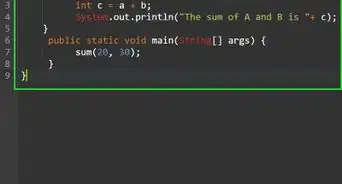
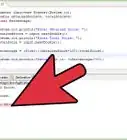
4Supply the arguments. Now that you've created the function, all that's left to do is check the string. If the string is in alphabetical order, the result will be Yes. If not, the result will be No.
import java.util.Arrays;
public class wikiHow {
        static boolean isAlphabeticOrder(String s)
    {
        // find the length of the string
        int n = s.length();

        // create a character array the same length as the string
        char c[] = new char [n];

        // assign the string to character array
        for (int i = 0; i < n; i++) {
            c[i] = s.charAt(i);
        }

        // sort character array
        Arrays.sort(c);

        // check if character array and string are equal
        for (int i = 0; i < n; i++)
            if (c[i] != s.charAt(i))
                return false;

        return true;
    }

public static void main(String args[])
    {
        String s = "aabbbcc";
         // check if string is in order
        if (isAlphabeticOrder(s))
           System.out.println("Yes");
        else
            System.out.println("No");

    }
}
Advertisement


-Step-42.webp)
-Step-4-Version-2.webp)
References
About This Article

-Step-42.webp)